- Network Support: 100+ integrated blockchains
- Navigation Style: Persistent 4-tab bottom bar
- Security: Native biometric Face ID/Fingerprint
- Staking Transparency: Real-time APY and validator fees
- Transaction Speed: Sub-cent IBC routing costs
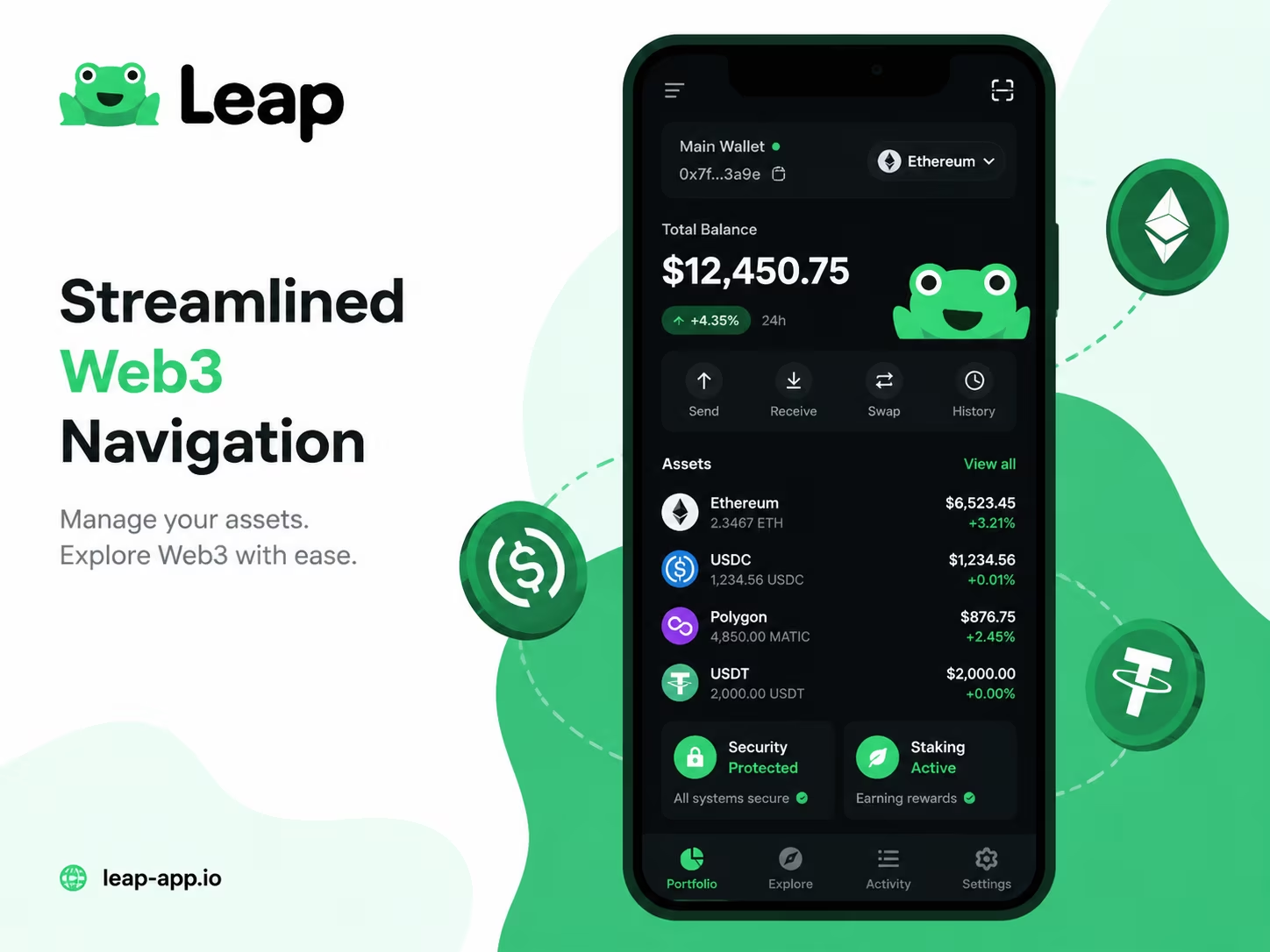
The Leap wallet app interface provides a unified command center for managing assets across 100+ decentralized networks through a simplified mobile layout. By consolidating fragmented blockchain ecosystems into a single portfolio view, the application removes technical friction. You can execute cross-chain transfers and interact with DeFi protocols using a persistent navigation bar designed for high-speed interchain activity.
- Home Screen, Portfolio Overview, and Asset Visibility
- NFT Gallery, Collectibles, and Visual Asset Browsing
- Staking Dashboard, Validator Selection, and Rewards Tracking
- Network Controls and the Multi-Chain Experience
- Send, Receive, and Activity Tracking Without Interface Confusion
- Why Interface Simplicity Matters in a Self-Custody Wallet
- Web3 Tools, dApp Access, and Security Settings
- Conclusion
Home Screen, Portfolio Overview, and Asset Visibility
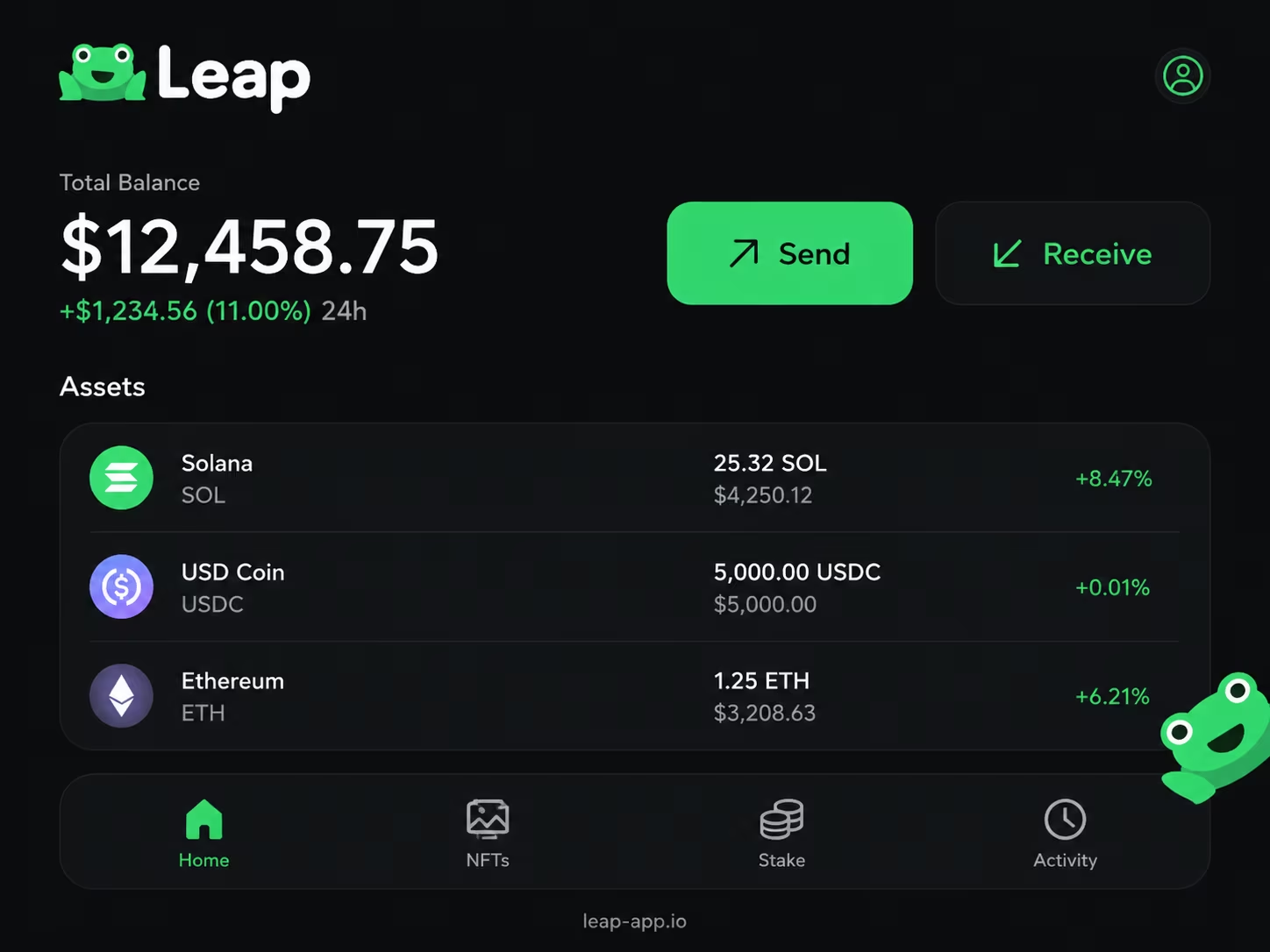
Open Leap Wallet and the home screen hands you a complete digital asset dashboard instantly — total balance, individual token holdings, and cross-chain positions, all in one shot. The portfolio overview anchors the top of the screen, showing the combined USD value across every connected network. Below it, the asset list breaks everything down by token: what you hold, which chain it lives on, what it’s worth right now. No screen-hopping. No mental arithmetic.
Here’s what actually impresses: the layout absorbs multichain complexity and hides the mess from you entirely. Networks like Cosmos, Osmosis, and Injective collapse into a single unified view — your ATOM, OSMO, and INJ balances sit side by side without any manual configuration. Filter by network or scroll the full asset list. Either way, you get the complete picture in seconds. As the Cosmos Community Blog noted early on, Leap was architected with interface clarity as a core principle — not an afterthought bolted on later. That decision shows up on the home screen every single time you open the app. And in 2026, when the average active Web3 user is juggling assets across four to six chains at once, that clarity isn’t optional.
Asset discovery works without you lifting a finger. Receive tokens on a new chain? An IBC asset drops into your wallet? It surfaces in the list automatically — no contract addresses to paste, no settings to dig through. The portfolio overview refreshes in real time, so your total balance tracks current market prices without a manual pull-to-refresh ritual. For anyone holding a mix of staked positions, liquid tokens, and NFTs simultaneously, that automatic visibility cuts out a genuine friction point. Want the full breakdown of how this plays out across networks? It’s all covered in our multichain crypto wallet review.
The bottom line is blunt: this home screen gives you actionable information on the first look, not just a vanity number. Tap any asset and you’re one step away from send, receive, stake, or swap. The navigation is flat. Direct. Fast. For anyone managing serious on-chain positions across multiple ecosystems, a structured dashboard like this isn’t a luxury — it’s the minimum viable tool for making smart decisions quickly. Complexity stays under the hood. Control lands in your hands. First screen, every time.
Main Interface Areas and What Users Can Do in Each
Navigating the Web3 space in 2026 requires an interface that balances deep on-chain functionality with a clean user experience. Effective portfolio management starts with understanding where your assets are and how to move them. By mastering these Leap Wallet features, you can switch between simple token swaps and complex governance voting without leaving the app.
| Interface Section | Key User Actions | Practical Value |
|---|---|---|
| Portfolio Dashboard | Track available, staked, and DeFi assets | Real-time performance tracking and asset overview across multiple chains. |
| Staking Dashboard | Delegate, claim rewards, vote | Direct participation in network security and governance with APR visibility. |
| DApp Browser | Search and bookmark interchain dApps | Mobile-optimized access to decentralized exchanges and lending protocols. |
| NFT Gallery | View, filter, and categorize NFTs | Organized visual management of digital collectibles across different networks. |
| Activity Tab | Review transaction history | Audit past transfers, swaps, and IBC interactions for transparency. |
| Settings | Manage Ledger and biometrics | Enhanced security controls including hardware wallet integration and network toggles. |
How Token Management Works Inside the App
Managing assets in a multi-chain environment requires a clean interface that filters out noise while keeping your liquidity accessible. In 2026, the focus is on speed and on-chain clarity. Here is how you can optimize your portfolio using the built-in token management tools in your Cosmos asset management wallet.
- Open the Portfolio Overview to see your total balance aggregated across all active chains. The app automatically pulls real-time price data, giving you an instant snapshot of your net worth without manual refreshing.
- Use the Token Search Function to locate specific assets by name or contract address. This is essential when dealing with dozens of IBC-enabled chains where manual scrolling becomes inefficient.
- Filter and Hide Clutter by toggling the visibility of low-balance or «spam» tokens. In the current Web3 environment, keeping your main screen clean reduces cognitive load and prevents accidental interactions with unverified assets.
- Enable Custom Token Support for new or niche projects not yet indexed by default. You can manually add assets by pasting the contract address, ensuring you never lose track of early-stage investments or airdrops.
- Organize by Network to see exactly where your liquidity sits. Whether it is staked, in a liquidity pool, or sitting in your liquid balance, the management screen categorizes these states to help you make faster rebalancing decisions.
NFT Gallery, Collectibles, and Visual Asset Browsing
Leap Wallet’s NFT gallery view hands you a clean, visually-driven command center for your entire digital collectibles portfolio — right inside the mobile app, no third-party detours required. Forget toggling between block explorers and browser tabs. There’s a dedicated collectibles tab baked into the interface, pulling every NFT across supported Cosmos-based networks into one organized, scrollable view. Less friction. More ownership.
The grid layout groups tokens by collection from the jump. Tap any collection, and you’re looking at individual items, metadata, and traits — all without abandoning the app. Big wallets with hundreds of pieces load just as cleanly as a wallet holding three. For anyone juggling assets across multiple chains, that kind of consolidated view isn’t a luxury — it’s how serious collectors actually work. As confirmed by the Apple App Store, NFT mechanics are fully integrated into the mobile interface, making Leap a genuinely practical tool for collectors and traders moving fast.
Spam filtering deserves a real mention here. Unsolicited airdrops and low-quality tokens land in active wallets constantly — it’s one of Web3’s most persistent annoyances. Leap’s interface applies filtering logic that separates verified collection assets from unrecognized or suspicious tokens, so your collectibles tab stays readable and signal-rich rather than buried in noise. You control what you see. That matters when your wallet is running hot across multiple protocols. For a fuller picture of how this fits the broader product, the complete breakdown of Leap Wallet features is worth a read.
The visual browsing experience was built for actual use — not to tick a feature box. Thumbnails snap into place fast, collection names are crisp and clearly labeled, and the layout holds up across different screen sizes without breaking a sweat. Want to verify ownership? Review accumulated holdings across Cosmos chains? Just browse? The NFT gallery handles all of it without redirecting you anywhere else. Straightforward, purposeful, and woven naturally into the app’s broader asset management flow — exactly how it should be.
Managing your assets requires a clean interface and secure access to on-chain tools. You can streamline your account management and interact with supported networks directly through a user-friendly dashboard.
Staking Dashboard, Validator Selection, and Rewards Tracking
Leap Wallet’s staking dashboard puts your entire delegation operation on one mobile screen — staked balance, pending rewards, active positions, zero clutter. Open the staking section and everything is already there: total staked amount, claimable earnings, live validator relationships. No hunting through menus. The interface is built for action, not exploration — tap a validator, check their commission and uptime, delegate. Done. There is no reason to open a block explorer mid-flow, because the app surfaces every number you actually need, right where you need it.
Validator selection is where Leap earns its keep. Each validator card displays commission percentage, voting power, and current status — active or idle. Sort by commission rate or uptime and the underperformers fall to the bottom fast. In an onchain environment where validator reliability ties directly to your yield and slashing exposure, that structured comparison is not a nice-to-have. It is the whole point. As noted by the Cosmos Community Blog, the app was purpose-built around deep Cosmos ecosystem integration — and you feel that in how validator metadata loads natively inside the staking flow, not as an afterthought bolted on from outside.
The rewards view refreshes in real time and breaks down claimable versus compounding earnings per validator. Claim one at a time or sweep them all in bulk — your call, depending on how spread out your delegations are. The app also logs reward history over time, so you can actually see whether a validator has been consistent or has quietly slipped. For anyone using Leap as a Cosmos asset management wallet, that performance visibility removes the guesswork from rebalancing. You are working from real data, not gut feeling.
The broader staking experience is engineered to kill friction at every step. No app-switching to research validators. No manual APR math. No separate tool to track reward claims. Everything connects: your portfolio view links directly into staking positions, and the activity feed timestamps every delegation, undelegation, and claim with surgical precision. Short version? It works. That tight loop between asset views and staking controls is what makes the mobile setup genuinely practical for active management — not just a dashboard you glance at once a week. If you are running positions across Cosmos-based networks, this interface gives you the control and visibility to handle it all without ever touching a desktop.
Transaction and Cost Views Users Should Understand
Transparency is the foundation of trust in Web3. When you use a multichain crypto wallet, you need to see exactly where your money goes before you hit «confirm.» Leap Wallet eliminates guesswork by breaking down network costs, aggregator fees, and potential slippage in real-time across 100+ chains.
| Transaction Type | Cost Structure | Key Interface Features |
|---|---|---|
| Standard Transfer | <$0.01 (Cosmos) | Customizable gas presets (Low, Average, Fast) shown pre-confirmation. |
| Token Swaps | 0.1% – 0.5% Fee | Integrated Skip/Squid routing with explicit slippage warnings. |
| Cross-Chain Bridging | Variable Gas | Economic gas routing to identify the cheapest paths between networks. |
| Staking & Rewards | Network Gas Only | Live APR data display and one-click rewards claiming interface. |
| Portfolio Tracking | Free | Leapboard view aggregating available, locked, and unstaking balances. |
Network Controls and the Multi-Chain Experience
Leap Wallet’s network switcher is the cleanest multi-chain control panel you’ll find in any mobile crypto app right now. No digging through settings menus. No manually punching in RPC endpoints. Just a modal-based chain selection interface that drops 50+ Cosmos SDK networks into a single tap — you pick the chain, the whole interface snaps into that network’s context instantly. Balances, staking positions, activity feed. Everything updates. No confusion about where you are.
The real engineering is what you don’t see. IBC transfers — technically brutal things involving channel IDs, relayer routing, chain-specific parameters — get collapsed down to two fields: recipient address and amount. That’s it. The wallet reads the address format, identifies the destination chain automatically, routes through the correct IBC channel, and never once asks you to understand any of that machinery. As the Cosmos Community Blog confirmed, this abstraction layer is a deliberate design philosophy — making multi-chain asset management genuinely accessible across 50+ chains, with full transaction history and push notifications baked in for good measure.
Cross-chain swaps push the logic even further. Skip and Squid handle all the routing behind the curtain, optimizing gas efficiency across every hop in the path. You’re not manually bridging. You’re not approving four separate transactions on three different chains. You select what you want to swap, the app calculates the optimal route, you confirm once and walk away. For anyone running a portfolio spread across Cosmos, Osmosis, Injective, or half a dozen other connected networks, that’s not a minor convenience — it’s hours saved per month. The multichain crypto wallet review breaks down exactly how this fits into the broader product picture if you want the full deep-dive.
Power users get their depth too. The chain selection menu carries an «Add new chain» option, and custom RPC configuration covers any network not natively integrated yet. With new Cosmos SDK chains and appchains launching constantly, that matters — you’re not stuck waiting on an official update to start operating on a fresh network. Mobile feature parity with desktop means real-time network state visibility and push notifications travel with you everywhere. At your desk or on the move, you stay current. That balance — dead simple for newcomers, genuinely deep for veterans — is exactly where Leap’s network controls earn their reputation.
Send, Receive, and Activity Tracking Without Interface Confusion
Leap Wallet’s send and receive flow cuts through the noise — clear screens, logical steps, no guesswork, no surprises before a transaction clears. Hit Send and the app walks you straight through it: recipient address, token selection, amount, gas fee review. In that order. Every field is labeled like someone actually thought about it, and the confirmation screen lays out exactly what leaves your wallet before you commit. That final review screen? More critical than most users ever stop to appreciate — it’s your last real checkpoint before an irreversible on-chain action locks in.
Receiving assets is just as clean. Your receive screen surfaces your wallet address and a QR code built for direct scanning — no manual character entry, no transcription errors, no «wait, did I copy the right thing?» The QR code itself is network-specific, which means someone sending tokens can’t accidentally fire them across the wrong chain just because they grabbed a generic address. For anyone juggling Cosmos, Ethereum, or other supported networks simultaneously, that distinction alone keeps a whole category of costly mistakes off the table. If you want a deeper look at how the full interface holds together across screens and networks, the Leap Wallet interface guide breaks down the layout in detail.
Wallet activity history is where real transparency lives. Every transaction — sent or received — gets logged with a timestamp, token amount, network, and status: pending, confirmed, or failed. Scroll through your full history without leaving the app. Tap any entry and you pull up the on-chain explorer link for direct verification. With multi-step DeFi interactions and cross-chain moves now routine, a clean activity log isn’t a luxury. It’s how you stay in control. Something looks off? You catch it fast, not three days later when the damage compounds.
The real payoff of this design is reduced cognitive load. Full stop. You don’t need three separate tools open just to understand what happened in your own wallet. The send flow keeps confirmations front and center. The QR scanner eliminates manual address errors at the source. The activity history gives you a running record you can audit anytime, anywhere. Clarity at the moment of action. Accuracy at the point of entry. Transparency after the fact. That combination is exactly what separates a wallet you trust from one you’re always second-guessing.
Why Interface Simplicity Matters in a Self-Custody Wallet
In self-custody, interface clarity is not a nice-to-have — it is the entire safety net. You hold your own keys. Every tap is final. No support ticket saves you, no recovery team swoops in, no chargeback reverses a bad send. That weight lands squarely on the interface, which has to be clean, predictable, and forgiving of hesitation — especially at the moments when hesitation is most dangerous: sending assets, approving transactions, switching networks.
Mobile crypto users have moved past tolerating clunky layouts. They expect to understand what is happening on-screen without cracking open a help doc. UX research across financial apps makes the pattern brutally clear: users abandon flows the moment they hit three or more points of confusion in a single session. In a self-custody wallet, that is not just a lost conversion. That is a user who either panics and taps the wrong thing, or avoids the wallet entirely. Intuitive controls cut through both failure modes by making the right action the obvious one — not the one you have to hunt for.
The Leap Wallet mobile interface is built around a principle worth stating plainly: complexity belongs in the infrastructure, not on your screen. Staking mechanics, multi-network asset management, NFT access, on-chain activity tracking — all of it is genuinely intricate under the hood. You should never feel that. Clean navigation, logically organized asset views, and one-tap access to network controls mean your attention goes toward decisions, not toward figuring out where to tap next. That matters more heading into 2026, when the average active user is juggling assets across five or more networks at once and a cluttered interface is not just annoying — it is a liability.
Confidence in self-custody grows in direct proportion to how clearly you can see what you own and what you are doing. Balances visible at a glance. Recent activity reviewable in seconds. Staking options one tap away. Network settings reachable without three nested menus. When the app is organized that way, you stop second-guessing yourself. And that confidence is not cosmetic — it shows up as more active on-chain participation, fewer costly mistakes, and a genuine sense of control over your assets. A wallet that feels effortless to use is a wallet you actually open. And the only wallet keeping your assets safe is the one you actually use.
Web3 Tools, dApp Access, and Security Settings
Leap Wallet puts a full dApp browser directly inside the mobile app — connect your wallet to any dApp without juggling separate apps or pasting addresses by hand. The in-app browser speaks both WalletConnect and Cosmos-native protocols, so DeFi platforms, NFT marketplaces, and staking interfaces authenticate in a handful of taps. Pick your network. Open the URL. Approve the connection. Done. No clipboard gymnastics, no extra steps.
Security inside Leap works in layers — and that’s intentional. Biometric login, Face ID or fingerprint depending on your hardware, hits you the moment you open the app or push a transaction through. Behind it sits a PIN fallback, while your seed phrase lives in encrypted local storage and never touches a server. Phishing attacks on mobile wallet users have climbed sharply, which makes biometric authentication active by default not a nice-to-have — it’s the floor. Head into Settings, verify biometric auth is on, and confirm that transaction signing demands explicit approval rather than sliding through automatically. That one toggle kills a wide class of session-hijacking attempts before they start. The Apple App Store listing for Leap Cosmos reflects the broad feature access and mobile Web3 interaction patterns the app covers on iOS.
Every time you connect your wallet to a dApp through the Leap browser, the app lays out exactly what permissions the dApp wants before you tap approve. Read that screen carefully. A legitimate DEX needs your address and the ability to request transaction signatures — nothing more. If a connection prompt asks for broader fund-movement rights, reject it immediately. The permission model mirrors what desktop extension wallets do, but mobile adds a harder layer on top: your biometric confirmation is tied to the physical device hardware, which makes remote approval attacks dramatically more difficult to pull off than on any desktop setup.
The Web3 toolset inside Leap goes well beyond security. Staking interfaces, governance voting, cross-chain swaps, NFT views, token management, activity history — all of it lives in the same navigation bar. Switching from your asset overview to a dApp interaction feels like flipping between tabs, not bouncing between products. That UX choice has real consequences: fewer context switches mean fewer moments where a suspicious prompt slips past you, or where time pressure pushes you into approving the wrong transaction. Review your wallet security settings every few weeks, install app updates as they land, and treat biometric login as non-negotiable. Those three habits handle the bulk of real-world risk for anyone running an active Web3 life from their phone.
Conclusion
The Leap Wallet app UI packs everything a mobile Web3 user actually needs into one clean layout — multi-chain asset management, staking, NFT access, dApp connectivity — and somehow makes it all feel obvious from the first tap. That’s a genuinely difficult balance to strike. Most wallets either strip things down until useful features vanish, or they stack so much functionality that the interface turns into a maze you need a map to navigate. Leap hits the right mark: structured, fast, and readable without a warm-up lap.
What separates this from the average mobile wallet is how naturally each layer connects to the next. Check your portfolio. Switch networks without leaving the main view. Jump straight into staking from an asset card. Browse NFTs in a dedicated tab. Track every transaction in a clean activity feed. No digging through settings. No opening an external browser. The whole experience operates on a single assumption — you’re managing real assets on the go — and every navigation decision in the UI reinforces that.
For anyone running positions across Cosmos, EVM chains, or newer networks entering the ecosystem, the multi-chain control layer is where Leap genuinely earns its spot in a serious setup. Network switching is quick. Token views update in real time. The built-in Web3 browser keeps dApp access exactly one tap away. Want a full breakdown of every section — home screen layout, staking flow, NFT gallery, the works? The complete Leap Wallet interface guide walks through it all, step by step.
The verdict is simple. If your Web3 routine lives on mobile, Leap gives you a solid, well-organized foundation that respects your time from day one. Stake assets, manage tokens across chains, review activity, connect to dApps — one app, zero tutorial required. That’s exactly what a clean wallet layout should do. Leap does it.
Import your old wallet
Stop struggling with outdated interfaces. Move your existing assets into a streamlined onboarding flow designed for 2026 security standards and gain instant, secure access to your entire portfolio through our clean mobile navigation.
Часто задаваемые вопросы
How does Leap Wallet display assets across multiple chains on one screen?
Leap Wallet aggregates balances from 100+ networks into a single portfolio dashboard, showing each token, its chain, and its current USD value without any manual configuration. Assets received via IBC or new chains appear automatically in the list, updating in real time without a manual refresh.
How do I stake tokens and compare validators inside the Leap Wallet app?
Open the Staking tab to see your total delegated balance, claimable rewards, and active validator positions on one screen. Each validator card displays commission rate, voting power, and uptime so you can sort and compare directly inside the app before delegating.
What security features protect transactions in the Leap Wallet mobile app?
Leap Wallet uses biometric authentication — Face ID or fingerprint — active by default every time you open the app or sign a transaction. Your seed phrase is stored in encrypted local storage and never sent to a server, and every dApp connection clearly lists requested permissions before you approve.
How does the Leap Wallet NFT gallery organize digital collectibles?
The dedicated NFT tab pulls all collectibles from supported Cosmos-based networks into a single scrollable grid, grouped by collection. Spam filtering separates verified assets from unrecognized tokens, keeping the gallery readable and free from unsolicited airdrop clutter.
Can I control gas fees and network settings directly in the Leap Wallet mobile interface?
Yes — the Network Controls module lets you choose between Low, Average, and Fast gas presets calculated from current mempool conditions before you confirm any transaction. Power users can also add custom RPC endpoints and new chains directly from the chain selection menu.