- Transfer Tax Status: Non-taxable (Self-to-Exchange)
- Coinbase Deposit Fee: $0.00 (Network fees apply)
- Verification Essential: Micro-test transaction ($10-$20)
- Key Security Step: Manual address syntax validation
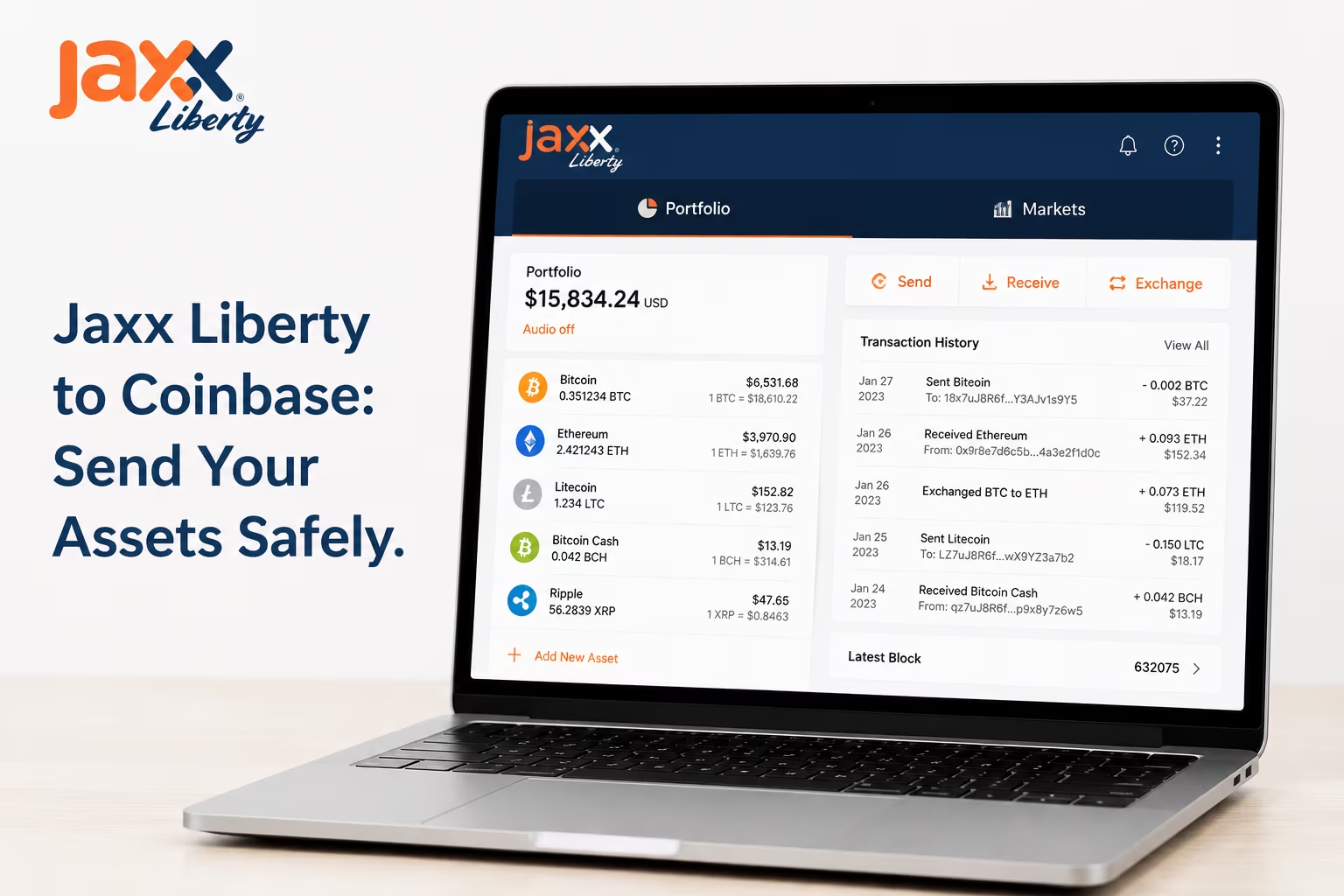
Transferring from Jaxx Liberty to Coinbase requires matching the specific asset and blockchain network to ensure your digital funds arrive safely at the exchange. This process involves generating a unique deposit address on Coinbase and broadcasting the transaction from your non-custodial Jaxx Liberty interface. Success depends on verifying cryptographic addresses and selecting appropriate network fees for timely blockchain confirmation.
- How to Copy the Correct Coinbase Deposit Address
- Fees, Speed, and Confirmation Time
- Expert Take: Why a Test Transfer Is Worth It
- Tax and Recordkeeping Basics for Wallet-to-Exchange Transfers
- Non-Covered Assets and Cost Basis Tracking
- Common Problems: Wrong Network, Pending Status, and Address Errors
- Conclusion
Step-by-Step: Send Crypto from Jaxx Liberty to Coinbase
Transferring your assets from the non-custodial environment of Jaxx Liberty to an exchange like Coinbase requires precision to ensure your funds arrive safely. Follow these steps to complete the transfer securely:
- Generate your deposit address on Coinbase. Log in to your Coinbase account, navigate to the «Receive» section, and select the specific cryptocurrency you intend to transfer. Ensure you select the correct network (e.g., Bitcoin network for BTC) to avoid permanent loss of funds.
- Copy the destination address. Use the «Copy» button provided by Coinbase to capture the full alphanumeric string. Avoid typing the address manually, as a single character error will result in the loss of your assets.
- Open Jaxx Liberty and select the asset. Launch the Jaxx Liberty Wallet on your device and navigate to your «Wallets» dashboard. Click on the cryptocurrency that matches the address you just copied from Coinbase.
- Initiate the Send transaction. Click the «Send» button within the specific asset interface. This will open the transaction screen where you define the destination and amount.
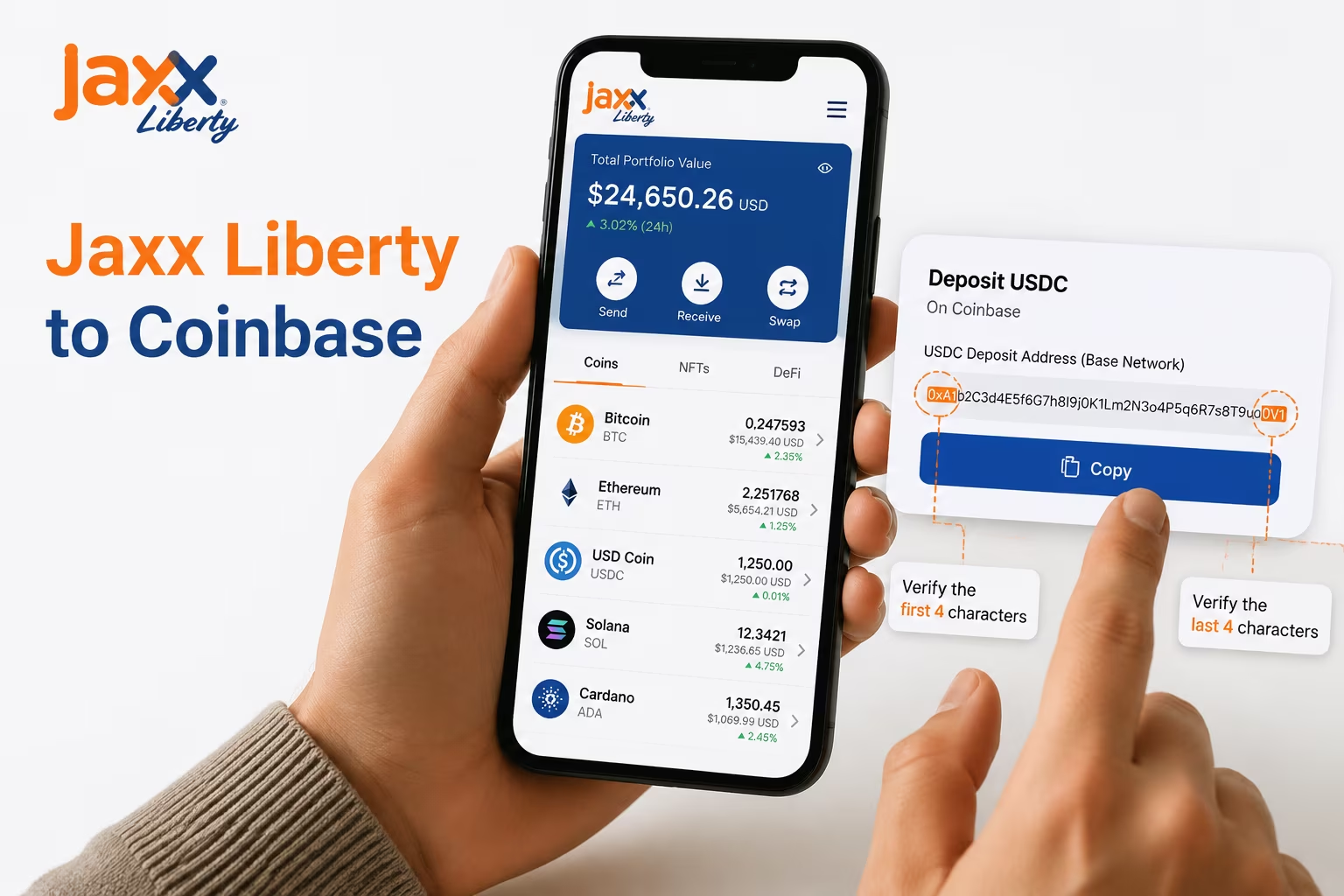
- Paste the Coinbase address carefully. Paste the address into the «Recipient Address» field. We recommend double-checking the first and last four characters against the original address on Coinbase to ensure no «clipboard hijacking» malware has altered the data.
- Enter the amount and review mining fees. Specify the amount of crypto you wish to send. Jaxx Liberty will automatically calculate the network fee (mining fee) required to process the transaction on the blockchain. Ensure your remaining balance can cover these network costs.
- Confirm and broadcast the transaction. Review all details—asset type, destination address, and total amount—one final time. Click «Send» to authorize the transaction using your local private keys. Once broadcast, you can track the progress via the transaction ID (TXID) in your Jaxx Liberty history until it receives the required confirmations on the blockchain.
Asset and Network Match Checklist
When you transfer assets from Jaxx Liberty to Coinbase, matching the network is the most critical step to ensure your funds arrive safely. While many assets share similar address formats across different blockchains, sending a token on an unsupported network can lead to a permanent loss of funds. Use the checklist below to verify your transaction details before confirming the send in your wallet.
| Asset Type | Supported Networks | Address Verification | Memo/Tag Required |
|---|---|---|---|
| Bitcoin (BTC) | Bitcoin Mainnet | Native BTC format | No |
| Ethereum (ETH) | Mainnet, Base, Polygon | 0x… format | No |
| USD Coin (USDC) | ETH, Base, Solana, AVAX | Match source to destination | No |
| Solana (SOL) | Solana Network | Base58 format | No |
| XRP / XLM | Native Networks | Standard address | Yes (Mandatory) |
Data Source: Coinbase Developer Documentation — Confirms supported networks and critical selection requirements
Before you initiate a transfer, ensure you have reviewed the Jaxx Liberty supported coins list to confirm compatibility. Always double-check that the network selected in your Coinbase deposit screen matches the network you are using to send from Jaxx Liberty. Using Layer 2 networks like Base or Polygon can significantly reduce transaction fees compared to the Ethereum mainnet.
How to Copy the Correct Coinbase Deposit Address
The single most important move before any transfer: open Coinbase, find the exact asset, hit «Receive,» and copy the deposit address that matches both the coin and the network you are sending from — nothing else comes first. Coinbase assigns a unique receive address for each supported cryptocurrency, and often a separate one for each network that asset runs on. USDT alone lives on Ethereum (ERC-20), Tron (TRC-20), and several other networks — each producing a completely different deposit address. Send to the wrong one. Funds gone. No appeal process, no recovery.
When you are ready to move assets from Jaxx Liberty Wallet to Coinbase, your very first move inside Coinbase is to confirm the exact asset and network before you copy anything at all. Go to your portfolio or assets list, select the specific cryptocurrency, and click «Receive.» Coinbase displays the deposit address alongside the network it belongs to. At that point — use the copy button. Do not type the address manually. Not even one character. A single typo in a crypto address sends your funds either into a void or straight into a wallet nobody controls. Always copy the Coinbase address using the built-in copy function, then paste it directly into the send field inside Jaxx Liberty. No detours.
Here is the step most people skip — and the one that actually matters. After pasting the address into Jaxx Liberty, compare the first four and last four characters of the pasted address against what Coinbase displayed on screen. Ten seconds of your time. That is all it takes to protect against clipboard hijacking — a very real attack where malware silently swaps your copied address for an attacker’s wallet the moment it hits your clipboard. Phishing and wallet exploits have only grown sharper, so this manual check is not optional anymore. It is the habit that separates careful users from expensive lessons. Jaxx Liberty keeps your private keys stored locally on your device, which means the security of every outgoing transaction rests entirely on the decisions you make at the moment of sending.
A few more details deserve your attention before you hit confirm. Make sure the network selected inside Jaxx Liberty matches exactly what Coinbase shows on the deposit screen. If Coinbase displays an Ethereum address for an ERC-20 token, your send must travel over the Ethereum network — not BNB Chain, not Polygon, not anything else. Also review the transaction fee Jaxx Liberty shows before you confirm; network fees shift with congestion and asset type, and they come out of your balance the moment the transaction broadcasts. Once it broadcasts, it cannot be recalled. After that, waiting for the required number of network confirmations before funds appear in Coinbase is completely normal — that is blockchain finality doing its job, not something going wrong.
Fees, Speed, and Confirmation Time
The blockchain network fee you set when sending crypto from Jaxx Liberty is the single lever that controls how fast your transfer lands in Coinbase — and whether your funds are ready when you actually need them. Every transaction you broadcast fights for a spot in the next block, and miners or validators play favorites: higher fee, faster pick-up. Simple as that.
When network congestion is light, even a modest fee gets the job done in minutes. But during high-volume trading sessions or major market swings, a low fee shoves your transaction to the back of a very long line — turning a ten-minute transfer into an hours-long wait. Jaxx Liberty shows you current fee options before you hit confirm, so you always know what you are committing to. For Ethereum-based transfers, you are selecting a gas price pegged to real-time network demand. Understanding how Jaxx Liberty gas fees work means you can make a deliberate call: pay more, move faster — or pay less and sit tight. For Bitcoin, the fee scales per byte of transaction data, and the same logic holds. Higher fee density equals faster block inclusion. No guesswork, no surprises.
Here is where it gets critical. Coinbase does not credit incoming deposits the moment your transaction is broadcast — it waits for a required number of network confirmations, and that threshold shifts by asset. Bitcoin typically needs three confirmations before funds show up in your account. Ethereum usually requires 35. Each confirmation is one more block stacked on top of yours. Now consider what a low fee during congestion actually means: your transaction sits in the mempool, unconfirmed, sometimes for hours. The confirmation count does not even start ticking until your transaction is first picked up by a block. So a bargain-rate fee does not just slow things down slightly — it can push the entire Coinbase crediting process back by a serious margin.
The smart move is to check network conditions before you send. Ask yourself one question: do I need these funds available at Coinbase right now — to execute a trade, hit a deadline, or act on a market move? If yes, pick a fee that matches current demand, not the floor. If timing is flexible, the lower option is a perfectly reasonable way to cut cost. Jaxx Liberty puts that choice directly in the send flow, with fee estimates pulled from live mempool data. The decision is yours. Knowing the relationship between fee level, network congestion, and confirmation time means you are never caught off guard by a transfer that takes far longer than you planned.
Typical Transfer Characteristics by Network
When you move assets from your Jaxx Liberty Wallet to an exchange like Coinbase, understanding network behavior is essential for managing your portfolio effectively. Each blockchain operates with different speeds and cost structures; for instance, proper ERC20 gas fee planning is necessary to ensure your Ethereum-based tokens arrive without delay. Always verify that you have selected the correct network and copied the deposit address precisely before confirming any transaction.
| Network / Asset | Estimated Network Fee | Typical Confirmation Time | Practical Considerations |
|---|---|---|---|
| Bitcoin (BTC) | $1.00 – $5.00 | 10 – 60 minutes | Fees fluctuate based on mempool congestion. |
| Ethereum (ETH / ERC20) | Variable (Gas) | Variable | Requires ETH in Jaxx Liberty to cover gas costs. |
| Altcoins (LTC, BCH, etc.) | < $1.00 | Fast (Minutes) | Cost-effective for smaller frequent transfers. |
Источник данных: Crypto Pro — Provides Bitcoin withdrawal fee range $1-5, other cryptos < $1, network dependency, and transfer considerations to external wallets.
Expert Take: Why a Test Transfer Is Worth It
Send a small test amount first — it’s the one habit that separates careful crypto movers from people who learn expensive lessons. Before you push your full balance from Jaxx Liberty to your Coinbase deposit address, send the smallest reasonable amount of that asset. Confirm the address landed correctly. Confirm the funds actually show up on the Coinbase side. That tiny test costs almost nothing and buys you something no support ticket ever can: certainty.
Here’s the brutal truth about blockchain transfers. They’re final. The moment you broadcast a transaction from Jaxx Liberty, there’s no cancel button, no recall, no customer service escalation that brings those funds back. Wrong address? Gone. Wrong network? Gone. One misread character in a 42-symbol alphanumeric string? Gone. A test transfer surfaces every one of those errors at the cost of a few cents rather than your entire holding.
When you run that test, lock your attention on three things specifically:
- Address match: The deposit address shown in Coinbase must be character-for-character identical to what you pasted into Jaxx Liberty. Check the first four characters and the last four. Always.
- Network alignment: The network you select in Jaxx Liberty must match exactly what Coinbase expects for that asset. Moving Ethereum? Both sides must be set to Ethereum mainnet — not an L2, not an alternative EVM chain. A mismatch here is where funds quietly disappear.
- On-chain confirmation: Don’t assume the test worked because the send screen cleared. Wait for at least one block confirmation. That confirmation is real, verifiable proof the path between Jaxx Liberty and your Coinbase account is open and functioning.
Jaxx Liberty puts your private keys in your hands. Full control. No account recovery, no password reset, no way for anyone to intervene once a transfer is broadcast. That’s the design — and it’s the right design. But it means the verification work falls entirely on you. So stop treating the test transfer as an optional extra. Make it a fixed step in your workflow every single time you move assets to a new destination. A small fee and two minutes of patience now beats every alternative you don’t want to think about.
Before transferring assets to Coinbase, ensure your specific coins are supported and your wallet is properly configured for a secure transaction. We can help you verify your setup and manage your multi-asset portfolio effectively.
Tax and Recordkeeping Basics for Wallet-to-Exchange Transfers
Moving crypto from Jaxx Liberty to Coinbase triggers zero tax liability — the IRS sees it as a transfer between accounts you own, not a disposal, so no capital gains event occurs. Under IRS FAQ A38, a wallet-to-exchange transfer carries your original cost basis and holding period straight to Coinbase, untouched. The tax clock keeps running. Nothing resets. As IRS guidance makes clear, transfers between your own wallets are non-taxable — but the recordkeeping burden that comes with them? That part is very much real, and very much mandatory.
Transaction hash tracking is non-negotiable. Every send from Jaxx Liberty to Coinbase demands an immediate record: the transaction ID (TXID), exact date and time, amount transferred, fair market value at the moment of transfer, both wallet addresses, and any network fees paid. Write it down now — not in December. Starting in 2025, per-wallet cost basis rules require a clean chain-of-custody trail showing which assets lived in which wallet and when they moved. Skip this documentation, and reconciling your records against Coinbase’s Form 1099-DA reporting turns into a genuine nightmare. The IRS won’t take your word for it.
Here’s the detail that blindsides most people. Network fees paid in crypto are potentially taxable disposals in their own right. Pay an ETH gas fee to send ETH from Jaxx Liberty to Coinbase, and the IRS may treat that fee as a disposal of ETH at its current fair market value. That means a separate record — fee amount, asset used, USD value at transaction time — on top of your main transfer log. For anyone moving multiple assets across Jaxx Liberty’s supported coins, these small fee-disposal events stack up fast. Dozens per year. Each one easy to miss without a systematic tracking habit built from day one.
If you’re weighing options beyond direct crypto transfers — say, converting holdings to fiat before moving value — our guide on Jaxx Liberty fiat conversion walks through exactly how that works and what tax implications come with it. The core rule never changes: every transaction — transfer, sale, or fee payment — needs a complete record tied to a verifiable TXID. Jaxx Liberty’s transaction history gives you those TXIDs for every outbound send. Cross-reference each one on a block explorer to confirm finality and lock in the precise timestamp you need for accurate fair market value documentation. No guesswork. No gaps.
Non-Covered Assets and Cost Basis Tracking
Move crypto from Jaxx Liberty to Coinbase, and the receiving exchange arrives at the party with zero memory — no acquisition date, no original price, nothing. Coinbase classifies incoming transfers from external self-custody wallets as non-covered assets. The platform simply cannot report your original purchase price or acquisition date to tax authorities. Not a bug. Not a glitch. Just how the system works when assets originate outside a centralized exchange. For any Coinbase account funding that flows in from a non-custodial wallet like Jaxx Liberty, you carry the full burden of proving your cost basis the moment you decide to sell or convert.
The practical consequence hits hard: sell an asset on Coinbase that you originally acquired through Jaxx Liberty, fail to document the original acquisition price and date, and the IRS — or your local tax authority — may treat the entire sale proceeds as taxable gain. Every dollar. As Coinbase Learn details, Form 1099-DA changes mean incoming self-custody transfers are explicitly flagged as non-covered assets, dropping the documentation obligation squarely on the user. Transaction IDs, wallet addresses, exchange receipts, on-chain data — preserve all of it. Anything that confirms when and at what price you first obtained each asset.
Before you initiate a transfer from Jaxx Liberty, export your full transaction history. Write down the acquisition date, the amount received, the fair market value at that exact moment. Once assets leave a self-custody wallet and land at Coinbase, the chain of custody resets from the exchange’s perspective. You can absolutely check transfer status on Coinbase after the transaction confirms — but that timestamp only reflects the transfer date. Not your original holding period. A separate log, whether a spreadsheet or dedicated crypto tax software, lets you reconstruct the complete cost basis picture when it actually matters.
Jaxx Liberty was built as a non-custodial wallet because user control over private keys is a core principle — full stop. That principle extends directly to financial record-keeping. Owning your keys means owning your data. When you move assets to Coinbase for storage, selling, or exchange use, treat your Jaxx Liberty transaction history as a primary source document. Export it. Back it up. Store it alongside your other financial records. Five minutes of preservation before a transfer can prevent serious complications at tax time — especially as reporting requirements around self-custody wallets keep tightening heading into 2026.
Common Problems: Wrong Network, Pending Status, and Address Errors
Three mistakes kill most transfers from Jaxx Liberty to Coinbase: wrong network, corrupted address, and panic-resending a transaction that was never actually stuck. Different causes, different levels of financial damage — but every single one is preventable if you slow down for thirty seconds before hitting send. The same discipline that lets you send Bitcoin from a Jaxx wallet cleanly applies to every other asset you’ll ever move: lock in the network, lock in the address, lock in the fee. In that order. Every time.
The wrong network error is the one that actually destroys money. Coinbase supports multiple networks for the same asset — Ethereum arrives over ERC-20, while USDT can travel ERC-20, TRC-20, or BEP-20 depending on how the exchange has things configured. Send on a network Coinbase doesn’t recognize for that asset, and those tokens don’t bounce back. They vanish into a manual recovery process that costs real money and carries zero guarantee of success. Jaxx Liberty keeps things simpler on its end — Bitcoin moves on Bitcoin’s network, Ethereum on Ethereum’s mainnet, no ambiguity. But Coinbase’s side is where the complexity lives. Before you initiate anything, open the Coinbase deposit screen for that specific asset, read which network it lists, and confirm it matches exactly what Jaxx Liberty will broadcast. Never assume the networks match. Read the label on both screens with your own eyes.
A pending transaction on Coinbase is not a problem. Panic-resending it is. Bitcoin typically needs 3 to 6 confirmations before Coinbase credits the deposit — that can mean anywhere from ten minutes to well over an hour, depending on network congestion and the fee you attached. Ethereum moves faster, but it still has a minimum confirmation threshold. If your transfer shows pending, go to Jaxx Liberty’s transaction history, grab the transaction ID, and drop it into a block explorer. Watch the confirmation count climb in real time. That’s all you need to do. As CoinTracker points out, accurate records and careful handling define self-custody workflows precisely because no support team exists to reverse a mistake. A duplicate send won’t accelerate the original. It will just cost you double the fees.
Address errors are quieter and more sinister than network errors. Clipboard hijacking malware — software running silently in the background that swaps your copied wallet address for an attacker’s — is a live threat right now, not a theoretical one. After you copy your Coinbase deposit address and paste it into Jaxx Liberty’s send field, stop. Compare the first four characters and the last four characters against the original address displayed on Coinbase. Five seconds. That’s the entire effort required to eliminate the most common address substitution attack in crypto. Jaxx Liberty holds your private keys locally, which means no third party can reach in and reverse a send that went to the wrong destination. That verification step isn’t optional etiquette — it’s the only safety net you have.
Conclusion
Every single step of sending crypto from Jaxx Liberty to Coinbase carries real weight — miss one, and your funds are gone permanently, with zero recourse. The process itself is not complicated. But it is ruthlessly unforgiving. Start with asset and network matching: sending Bitcoin? Confirm Coinbase is expecting Bitcoin on the Bitcoin network — not a wrapped variant, not a sidechain, not a different chain wearing the same name. The same discipline applies to Ethereum, Litecoin, and every other asset Jaxx Liberty supports. A network mismatch does not trigger a warning. It triggers a loss.
Address verification is non-negotiable. Full stop. Jaxx Liberty is a non-custodial wallet — your private keys live locally on your device, and no one can reverse a transaction sent to the wrong address. Not Jaxx Liberty. Not Coinbase. Nobody. Before you hit confirm, manually compare the first and last several characters of your Coinbase deposit address against what you copied. Clipboard-hijacking malware is a genuine threat, quietly swapping your destination address for an attacker’s. That visual check takes ten seconds. It can save everything. Better yet, use Coinbase’s QR code and cut out manual entry entirely.
Check the network fee before you send — not after. Jaxx Liberty shows the estimated fee clearly at the confirmation screen, so there is no excuse to skip it. For any transfer worth caring about, do a test send first: move a small amount, wait for it to land in your Coinbase account under the correct asset, then proceed with the full balance. It is not paranoia. It is protocol. Once the main transfer is out, watch the confirmation count. Bitcoin typically needs at least three confirmations before Coinbase credits the deposit. Other networks have their own thresholds — know yours before you start watching the clock.
The full weight of a secure transfer rests on you. Jaxx Liberty hands you direct control through local key storage and a clean send interface — but there is no safety net, no undo button, no centralized recovery system. Work the checklist: correct asset, correct network, verified address, reviewed fee, test send, confirmed receipt. Hit every point, and your transfer from Jaxx Liberty to Coinbase lands cleanly. Precision is not optional here. It is the entire job.
Import your old wallet
Gain direct access to your assets and manage your portfolio securely before moving crypto to Coinbase. Use your seed phrase to restore full control within Jaxx Liberty.
Часто задаваемые вопросы
Does transferring crypto from Jaxx Liberty to Coinbase trigger a taxable event?
No. The IRS treats a wallet-to-exchange transfer between accounts you own as a non-taxable event — no capital gains are realized at the moment of transfer. However, you must maintain detailed records of the original acquisition date, cost basis, and transaction ID, because Coinbase will classify incoming assets from external wallets as non-covered and will not report your cost basis to tax authorities.
What is the biggest risk when sending crypto from Jaxx Liberty to Coinbase?
The highest risk is a network mismatch — sending an asset over a blockchain that Coinbase does not support for that specific token. If the networks do not match, funds do not bounce back; they are permanently lost. Always open the Coinbase deposit screen, confirm the exact network listed, and verify it matches what Jaxx Liberty will broadcast before initiating any transfer.
How do I protect against clipboard hijacking when copying my Coinbase deposit address?
After pasting the Coinbase deposit address into Jaxx Liberty’s send field, manually compare the first four and last four characters of the pasted address against the original displayed on Coinbase. Clipboard hijacking malware silently swaps copied addresses for an attacker’s wallet, and this ten-second visual check is the only reliable defense available before a transaction is broadcast.
Why is my Coinbase deposit still pending after sending from Jaxx Liberty?
Pending deposits are normal — Coinbase requires a minimum number of network confirmations before crediting your balance. Bitcoin typically needs three to six confirmations, which can take ten minutes to over an hour depending on network congestion and the fee you set. Copy the transaction ID from Jaxx Liberty’s history and paste it into a block explorer to watch the confirmation count in real time instead of resending.
Should I send a test transaction before transferring my full balance from Jaxx Liberty to Coinbase?
Yes, always. Send a small amount first, confirm it arrives in the correct Coinbase asset balance, and verify the address, network, and confirmation all check out before broadcasting the full transfer. Blockchain transactions are irreversible — a test send at minimal cost is the only way to confirm the entire pipeline is functioning correctly before committing your full holdings.



