- Security Core: Samsung Knox Matrix & TEE
- Hardware Cost: $799 — $1,899 (Flagship models)
- Compliance: Unhosted wallet (FinCEN/SEC regulated)
- Main Risk: Ecosystem and hardware lock-in
A Samsung crypto wallet is a hardware-integrated solution that utilizes a Trusted Execution Environment to isolate private keys from the standard Android operating system. This architecture leverages the Samsung Blockchain Keystore to provide retail users with institutional-grade security, allowing for the direct management of digital assets and decentralized applications on flagship Galaxy devices without external hardware.
- How Samsung Stores Private Keys on Device
- Supported Coins and Network Coverage Matter More Than Convenience
- The Real Cost of a Samsung Phone Crypto Wallet
- US Rules for Self-Custody Wallets on Samsung Devices
- Expert View: Security Is Strong, Flexibility Is Weak
- Who Should Use Samsung Wallet and Who Should Choose Scroll Wallet
- Conclusion
How Samsung Stores Private Keys on Device
Samsung locks private keys inside a hardware-isolated Trusted Execution Environment — they never touch Android, never reach any server, and no application running in the standard software layer can get near them. That boundary is the entire point. When you use a mobile crypto wallet built on this infrastructure, security isn’t a software promise — it’s enforced at the chip. Full stop.
The engine behind all of this is the Samsung Blockchain Keystore, sitting on top of Samsung Knox and ARM TrustZone. Together, they build what’s called a TEE — a completely separate execution environment running in parallel with the normal Android system (the Rich Execution Environment, or REE). Your Root Seed lives there. Your derived private keys live there. Trusted Applications handle transaction parsing and signing inside that isolated zone, while a Trusted User Interface renders confirmation screens that the Android OS simply cannot intercept or fake. The system handles BIP-39 HD wallet derivation and ECDSA secp256k1 signing for both Bitcoin and Ethereum — meaning the actual cryptographic operations happen inside the secure enclave, not floating in app memory where malware goes hunting.
As Samsung Developer documents in detail, Knox-verified integrity checks enforce strict key isolation at every step. Root the device? Knox sees it immediately, and the Keystore shuts down. No exceptions. No workarounds. Some people call this a limitation. It isn’t. A compromised device is an untrusted device — and revoking signing access is exactly what the security model is supposed to do.
In 2026, where phishing campaigns are surgical, malicious dApps are indistinguishable from legitimate ones, and wallet-draining exploits move faster than any patch cycle, this architecture stops being theoretical. Your keys are never serialized into any format that crosses the TEE boundary. No server sync. No clipboard exposure. No screen-capture leak at the OS level. The trade-off is real and worth saying plainly: recovery lives entirely in your seed phrase, and that seed phrase had better be stored somewhere offline and physical. Scroll Wallet is built around this model — not because on-device key isolation is a compelling marketing angle, but because without it, nothing else you call «security» actually holds.
Samsung Wallet Strengths vs Practical Limitations
When evaluating mobile payment infrastructure, you must weigh the immediate convenience of hardware-integrated solutions against the restrictive nature of ecosystem lock-ins. While Samsung Wallet leverages the Knox security framework for high-speed transactions, its reliance on proprietary firmware creates significant barriers for users seeking cross-platform flexibility or advanced hardware wallet adoption. Understanding these trade-offs is essential for managing your digital assets and daily payments effectively in 2026.
| Feature Category | Samsung Wallet Strengths | Practical Limitations |
|---|---|---|
| Device Compatibility | Galaxy-exclusive hardware | No support for iOS or non-Samsung Android devices |
| Transaction Speed | NFC tap-to-pay in <1s | Limited to one funding card per tap; no multi-card routing |
| Security & Hardware | Knox security & MST fallback | Relies on proprietary chips; limits cross-device recovery |
| Asset Management | Crypto widgets & digital keys | Bank support varies by region; no post-purchase card switching |
Supported Coins and Network Coverage Matter More Than Convenience
The coins Scroll Wallet supports and the networks it actually covers determine whether it earns a place in your daily workflow — or just collects dust on your home screen. A wallet with a slick interface that holds three assets is not a wallet. It is a liability. You end up splitting your portfolio across four apps, doubling your attack surface, and tripling your cognitive load. When you evaluate any wallet, skip the screenshots. Ask one question first: does it hold what you hold, on the chains you actually use?
In 2026, the on-chain landscape is brutally fragmented. L2 networks are multiplying. Cross-chain bridges are everywhere. App-specific chains are spinning up faster than most wallets can track. A wallet locked to Ethereum mainnet and one L2 is not a portfolio tool — it is a partial view of a much messier reality. Scroll Wallet was built around this fragmentation as a hard constraint, not a future roadmap item. Chain coverage was an infrastructure decision made at the architecture level. If you are managing crypto across Ethereum mainnet, Scroll L2, and a stack of EVM-compatible networks, you need one interface that tracks balances, live transactions, and contract approvals across all of them — no manual RPC switching, no juggling separate apps, no blind spots.
Asset support is also a security question. Full stop. When you use a self custody wallet, every approval you sign is your responsibility. A wallet that strips out token metadata, hides contract risk signals, or stays silent about network-specific warnings is not being minimal — it is leaving you exposed at exactly the wrong moment. Scroll Wallet surfaces that information before you sign. Not after the transaction clears. Not in a settings menu buried three taps deep. Right at the point of action, where it actually matters. This is especially critical with newer tokens or contracts that have not been thoroughly audited, where the absence of clear data is itself the warning sign.
Compatibility is not a feature you ship once and forget. Networks launch. Token standards evolve. What was comprehensive coverage six months ago can become a gap today. We treat network and asset support as a continuous engineering commitment — driven by real user activity and measurable on-chain volume, not by whatever partnership looks good in a press release. Some chains are not yet supported. That is a real limitation, and it is worth saying plainly. What you can count on is that coverage decisions are made against actual usage data. Before you commit to any wallet for daily use, map its supported assets and networks against your real workflow. Convenience without coverage solves nothing.
To move beyond the limitations of device-specific ecosystems and gain full flexibility when you send and receive crypto, we recommend using a dedicated Web3 infrastructure.
The Real Cost of a Samsung Phone Crypto Wallet
A Samsung phone crypto wallet charges you over a thousand dollars before you store a single token — and most people don’t realize that’s the entry fee. Samsung’s Knox-secured wallet features — the embedded Secure Enclave, the Knox Vault hardware isolation layer — exist exclusively on flagship Galaxy devices. No flagship, no access. Full stop. As The Verge documented, the Galaxy S24 Ultra hit the US market at $1,299. That’s not a wallet fee. That’s a device tax dressed up as a security feature.
But the purchase price is just the beginning of the problem. Your wallet is chained to device continuity — meaning if your phone gets lost, stolen, smashed, or swapped for a non-Samsung model, your entire access path collapses. Recovery runs through Samsung’s ecosystem: backup protocols, account credentials, and in some cases the physical hardware itself. Most users never think about this when they’re setting up the wallet on day one. They should. Because the real cost isn’t the sticker price — it’s the permanent commitment to staying inside Samsung’s hardware ecosystem just to keep touching your own funds.
This exact trap is what pushes serious users toward hardware wallet adoption — and it’s precisely why Scroll Wallet runs on a completely different architecture. We don’t anchor your security model to a single manufacturer or a flagship price point. Scroll Wallet operates across environments, giving you verifiable key control without demanding you spend four figures on a phone just to access basic self-custody. The infrastructure should work for you. Not lock you into someone else’s upgrade cycle.
When you’re actually comparing crypto storage options in 2026, the honest cost calculation has to include device dependency, ecosystem lock-in, and recovery risk — not just how clean the wallet interface looks. A wallet fused to device hardware creates a single point of failure that quietly compounds over time. Firmware updates. Manufacturer policy shifts. End-of-support deadlines. Every one of these erodes your access. Scroll Wallet deliberately separates the security layer from the device layer, so your custody model holds steady regardless of what phone you’re carrying next year. That’s not a convenience feature. That’s a fundamental design decision — and it reduces long-term risk for every user on the network.
Samsung Wallet vs Scroll Wallet
Choosing the right infrastructure for your digital assets in 2026 requires understanding the trade-off between hardware-bound convenience and decentralized flexibility. While traditional solutions offer deep integration with specific hardware, our approach with Scroll Wallet focuses on removing ecosystem lock-in to ensure you maintain control over your assets regardless of your device choice. This comparison highlights the fundamental differences in how we handle cross-platform access and network agility compared to hardware-specific systems.
| Feature | Samsung Wallet | Scroll Wallet |
|---|---|---|
| Device Compatibility | Galaxy Devices Only | Cross-Platform (iOS/Android) |
| Security Architecture | Samsung Knox (Hardware) | Smart Contract / ZK-Proofs |
| Network Agility | Limited / Curated | Multi-chain & L2 Native |
| Recovery Method | Samsung Account / Find My | Social Recovery / Guardians |
| User Control | Ecosystem Locked | Full Self-Custody |
When evaluating a mobile crypto wallet, consider that Samsung Wallet relies on proprietary hardware security, which offers excellent protection but restricts you to a single manufacturer’s ecosystem. In contrast, we designed Scroll Wallet to provide high-tier security through verifiable on-chain infrastructure, allowing you to move between devices without losing access to your assets or being forced into a specific hardware lifecycle.
US Rules for Self-Custody Wallets on Samsung Devices
In the US, running a non-custodial wallet on a Samsung device is completely legal — no registration, no reporting, no permission slip required just to hold your own private keys. Self-custody wallets exist outside the traditional financial system by design. No third party touches your funds. No intermediary holds your keys. That’s the whole point. And US law doesn’t stop individuals from exercising direct control over their digital assets — but legal doesn’t mean invisible. By 2026, the regulatory landscape around crypto wallet regulation has grown far more layered, far faster, than most users expected.
Here’s the line regulators actually care about: holding versus transacting. Assets parked in your self-custody wallet trigger zero reporting obligations. The compliance machinery switches on the moment you route funds through a regulated entity — specifically, when you off-ramp through a centralized exchange. At that point, Bank Secrecy Act rules and FinCEN guidance require the exchange to run KYC and AML checks. If your transfer originates from an unhosted wallet, their risk engine may flag it for enhanced due diligence automatically. As CoinDesk reported, the US Treasury has explicitly categorized unhosted wallets as a potential illicit finance risk — and that framing directly shapes how exchanges build their compliance workflows. So a withdrawal from Scroll Wallet to an exchange can trigger extra verification steps. Not because you did anything wrong. Because the exchange’s system treats unhosted wallet origins as a higher-scrutiny category by default.
Scroll Wallet is built non-custodial — we don’t hold your keys, we don’t process transactions on your behalf, and we don’t qualify as a money services business under FinCEN definitions. That architecture isn’t a feature checkbox. It’s a deliberate product philosophy. It means you keep full sovereignty over your assets across Scroll’s L2 infrastructure and every connected chain. But self-custody comes with a real trade-off, and we won’t pretend otherwise: the full burden of key management, phishing defense, and transaction verification falls on you. In 2026, with wallet exploits and social engineering attacks hitting record highs, that’s not a theoretical responsibility — it’s a daily operational one. We provide the infrastructure and security architecture. The discipline? That’s yours. For a practical breakdown of how these responsibilities play out in daily use, see our guide on crypto wallet regulation and self-custody best practices.
If you’re planning to move funds from Scroll Wallet to a US-based exchange, get ahead of the compliance layer before you move. Keep clean records of your wallet addresses and full transaction history — exchanges will ask during enhanced due diligence, and scrambling to reconstruct that data after the fact is painful. Transactions above $3,000 may require the exchange to collect counterparty information under the Travel Rule. Anything above $10,000 can trigger Currency Transaction Report obligations on the exchange’s end. None of this touches your right to use a self-custody wallet. It affects what the exchange must do when they receive your funds. That boundary — between your rights and their obligations — is the practical foundation of navigating crypto wallet regulation in the US without unnecessary friction.
How to Set Up and Back Up a Samsung Wallet Safely
Setting up a self-custody environment requires a disciplined approach to eliminate single points of failure. While Samsung Wallet provides a hardware-backed foundation via Knox, true security depends on how you manage your recovery data. Follow these steps to initialize your environment and integrate it with a secure multi-chain wallet infrastructure.
- Initialize the Samsung Blockchain Keystore. Navigate to your device settings and activate the Keystore. This creates an isolated execution environment (TEE) where your private keys are generated and stored, physically separated from the primary Android OS to prevent unauthorized access by malware.
- Generate and record your Secret Recovery Phrase. Write down the 12 or 24-word seed phrase on physical paper or a dedicated metal backup tool. Never take a screenshot, save it in a cloud-based note app, or store it in a photo gallery, as these are primary targets for automated wallet exploits in 2026.
- Verify the backup accuracy. Complete the on-screen verification by entering the requested words from your phrase. This ensures you have recorded the sequence correctly; an incorrect backup means permanent loss of funds if the device is damaged or lost.
- Set a dedicated PIN or Biometric lock. Configure a unique PIN specifically for the wallet that differs from your phone’s lock screen code. We recommend using the ultrasonic fingerprint sensor for transaction signing to add a layer of biometric verification for every on-chain movement.
- Disable unnecessary third-party permissions. Review the app permissions and revoke access to the clipboard or screen recording for all non-essential applications. This prevents «clipboard hijacking,» where malicious software replaces your destination address with an attacker’s address during a transfer.
- Test the recovery process. Before depositing significant capital, perform a small test transaction, then simulate a recovery on a secondary device using your seed phrase. This confirms that your backup is functional and that you understand the restoration logic in a multi-chain environment.
Expert View: Security Is Strong, Flexibility Is Weak
Device-level security in a mobile wallet is genuinely valuable — and genuinely incomplete. Biometric locks, secure enclaves, hardware-backed key storage: all of it meaningfully shrinks your attack surface. But here’s the trap nobody talks about loudly enough. The moment your security architecture is chained to a single piece of hardware, you haven’t solved asset control — you’ve just relocated the risk. Lose the phone. Crack the screen. Watch the manufacturer sunset the software. Suddenly you’re not dealing with a security problem. You’re dealing with a recovery problem, which is worse.
As Samsung Newsroom US documents, hardware-isolated key management genuinely reduces exposure to phishing and remote exploits. That part works. The architecture is sound. What doesn’t work is what happens next — when you try to migrate keys, export credentials, or simply run the same wallet across two devices without hitting a wall of friction. Security and portability aren’t natural enemies. Most hardware-bound implementations just treat them that way, and users pay the price.
This is where the custodial versus non-custodial distinction stops being theoretical and starts being operational. A self custody wallet hands you direct ownership of your private keys — but ownership without portability is a cage with a nicer lock. Real asset control means you can move, recover, and verify access independently of any single device, any single platform, any single corporate ecosystem staying alive long enough to matter. At Scroll Wallet, that’s treated as a hard design constraint, not a checkbox. Strong local security and genuinely portable recovery aren’t competing priorities. They’re both required.
So the expert position in 2026 isn’t that device security is wrong. It’s that device security alone is nowhere near enough. A wallet built for this environment needs layered protection: hardware-backed signing where available, seed phrase sovereignty that travels with the user — not with the device — and recovery flows that don’t require the original hardware to even be powered on. Wallet flexibility isn’t a convenience feature. It’s the entire point. In a multi-chain, multi-device world where hardware lifecycles are shorter than asset holding periods, flexibility is what separates self-custody that means something from self-custody that just sounds good.
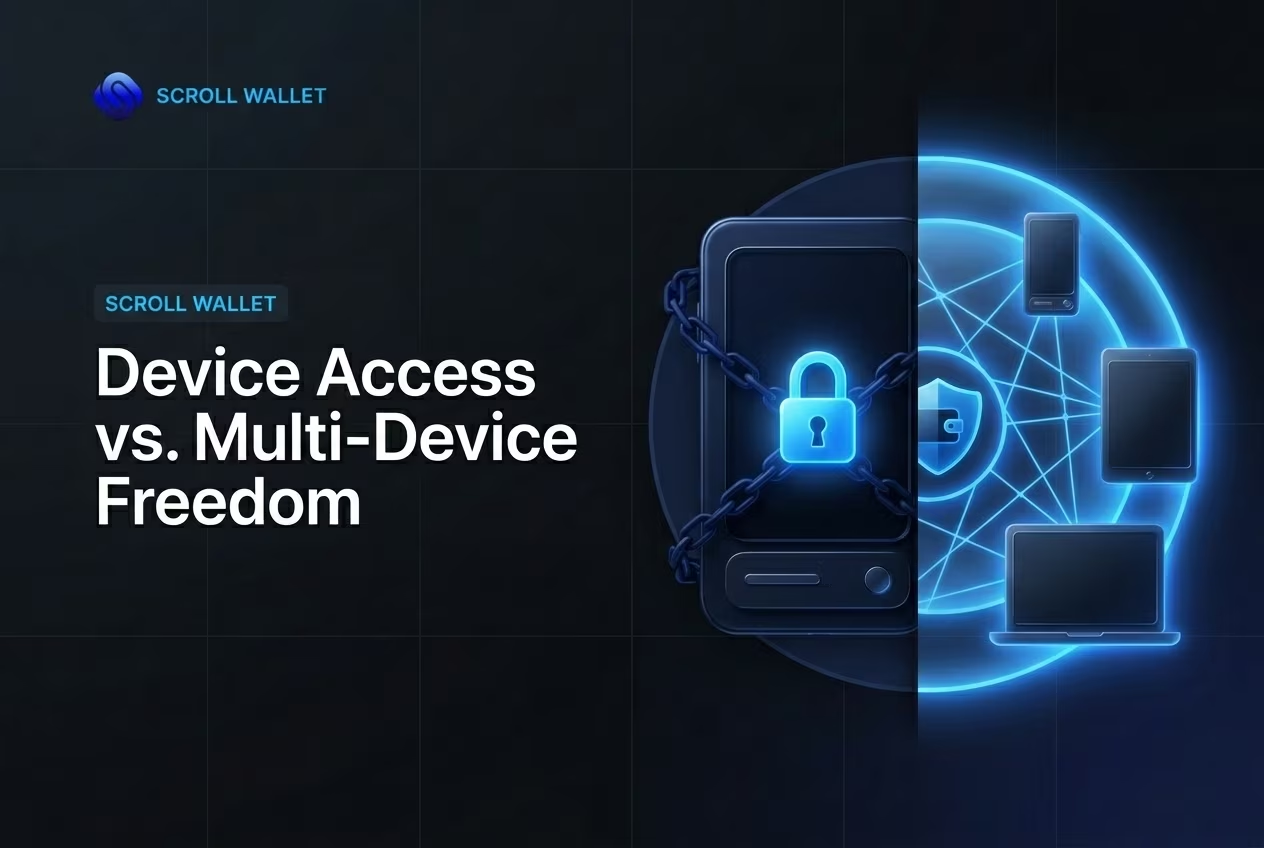
Who Should Use Samsung Wallet and Who Should Choose Scroll Wallet
Samsung Wallet or Scroll Wallet — the real question isn’t which looks better, it’s how much of your crypto activity you’re willing to hand over to a platform’s rules. Samsung Wallet is engineered for frictionless convenience inside a walled garden. Small holdings, rare DeFi touchpoints, a familiar Android interface — it handles that just fine. But convenience has a hard ceiling. The moment you start bridging assets across L2 networks, firing smart contracts, or juggling positions on multiple chains, Samsung’s architecture stops being a feature and starts being a cage.
Casual holders — people who glance at balances once a week, catch the occasional payment, or park a single asset type — might genuinely not need more than Samsung Wallet right now. The Samsung Pay integration and native Android environment strip away real friction for everyday tasks. Here’s the catch, though: that smoothness runs on custodial or semi-custodial logic. You’re operating inside boundaries the platform drew, not boundaries your own keys define. If self-custody matters to you — if you want a mobile crypto wallet where asset ownership is verifiable and platform-independent — the architectural gap between these two tools stops being a footnote and becomes the entire argument.
Active users are a different story entirely. Those interacting with Scroll’s L2 infrastructure daily, executing on-chain transactions at volume, managing assets across protocols — they need what Scroll Wallet was actually built to deliver: genuine Scroll Wallet control over keys, transaction signing, and network selection. No abstraction layers hiding what’s happening underneath. In 2026, with phishing attacks growing sharper and bridge exploits getting surgically precise, choosing a wallet for «full control» isn’t a preference anymore. It’s risk management. Scroll Wallet is designed around one uncomfortable assumption — that adversarial conditions are not edge cases. They’re the baseline.
So the practical split is clean. Passive activity, ecosystem-locked behavior, minimal chain-hopping? Samsung Wallet covers the basics without asking much of you. Executing real transactions, running DeFi positions, operating across chains? You need infrastructure that matches that complexity — not a lifestyle product dressed up as a tool. Scroll Wallet doesn’t pretend to be anything other than operational infrastructure for people who treat on-chain activity as a serious practice. The flexibility it offers isn’t cosmetic polish. It mirrors the actual, messy, multi-chain structure of how crypto environments function in 2026 — and what you genuinely need to move through them without unnecessary exposure.
Conclusion
Samsung’s built-in crypto tools are a decent on-ramp — but if you’re serious about your assets, you need a wallet you actually own. Samsung Pay and Samsung Blockchain Keystore plug neatly into Android, and for a first-timer that frictionless setup feels like a feature. It is, right up until it isn’t. The moment your access depends on Samsung’s continued goodwill, their update schedule, or their policy team’s next decision, you’ve handed control of your money to a corporation that owes you nothing.
A portable crypto wallet you install yourself runs on a completely different logic. You hold the private keys. You pick the networks. You decide when to move, bridge, or interact on-chain — nobody else. In 2026, that matters more than ever. Multi-chain activity, L2 bridges, cross-network asset management — these aren’t edge-case behaviors anymore, they’re the baseline. A crypto wallet on your phone that chains you to one manufacturer’s ecosystem isn’t a safety net. It’s a trap. Scroll Wallet is built around the opposite principle: direct access to your funds, across networks, with no third-party hardware or software layer sitting between you and your money.
Think about the failure modes for a second. A Samsung account suspension. A discontinued device model that stops receiving support. A firmware update that silently breaks compatibility. With a self-custody wallet, none of that touches you. Your seed phrase is your access — full stop. Not your Samsung account. Not your device warranty. Not a customer support ticket. That’s the architecture Scroll Wallet was built around, because a portable crypto wallet should follow you, not the hardware you happen to be carrying this year.
So here’s the honest take: use Samsung’s tools where they genuinely shine —
- Contactless payments at the checkout
- Basic token storage for small, casual amounts
- Device-level security as a complementary layer
But don’t make them your primary crypto infrastructure. For anything beyond casual use, a dedicated self-custody solution gives you the control, portability, and resilience that real on-chain activity demands. Scroll Wallet is built to be exactly that layer — transparent about how it works, honest about its trade-offs, and designed for users who want to own their experience, not just borrow access to it.
Import your old wallet
Stop dealing with hardware lock-in and fragmented L2 management. Migrate your existing seed phrase to Scroll Wallet for a streamlined, secure mobile experience built for the 2026 on-chain environment.
Часто задаваемые вопросы
Is it legal to use a Samsung self-custody crypto wallet in the United States?
Yes, holding and operating a non-custodial wallet on a Samsung device is completely legal in the US. No registration or reporting is required simply to store private keys. Compliance obligations only activate when you route funds through a regulated centralized exchange, where AML and KYC rules apply.
What makes Samsung Blockchain Keystore secure?
Samsung Blockchain Keystore uses a Trusted Execution Environment (TEE) built on Samsung Knox and ARM TrustZone, which physically isolates private keys from the Android OS. Cryptographic operations like ECDSA signing happen entirely inside the secure enclave, meaning keys are never exposed to app memory, the clipboard, or any server.
What are the biggest limitations of Samsung’s built-in crypto wallet?
The primary limitations are device lock-in and restricted network support. The wallet is exclusive to flagship Galaxy hardware costing $799–$1,899+, offers no cross-platform access, and lags behind in supporting Layer-2 networks and newer token standards. If the device is lost or replaced with a non-Samsung model, recovery becomes complex.
How does Scroll Wallet differ from Samsung Wallet in terms of security and flexibility?
Scroll Wallet separates the security layer from the device layer entirely, using smart contract infrastructure and ZK-proofs rather than proprietary hardware chips. It supports cross-platform access on both iOS and Android, offers social recovery via guardians instead of a Samsung account, and provides native multi-chain and L2 compatibility without ecosystem lock-in.
What should I do before moving funds from a self-custody wallet to a US exchange?
Keep clean records of your wallet addresses and full transaction history before initiating any transfer. Transactions above $3,000 may trigger Travel Rule counterparty verification, and amounts above $10,000 can require a Currency Transaction Report from the exchange. Preparing this documentation in advance prevents delays during enhanced due diligence reviews.



