- Storage Path: Local Extension Settings (LevelDB)
- Financial Risk: $2B+ lost to local key exploits in 2025
- Hardware Stress: Up to 25TB of SSD writes due to state bloat
- Security Trend: Shift to Zero-Knowledge (ZK) and Scroll Wallet
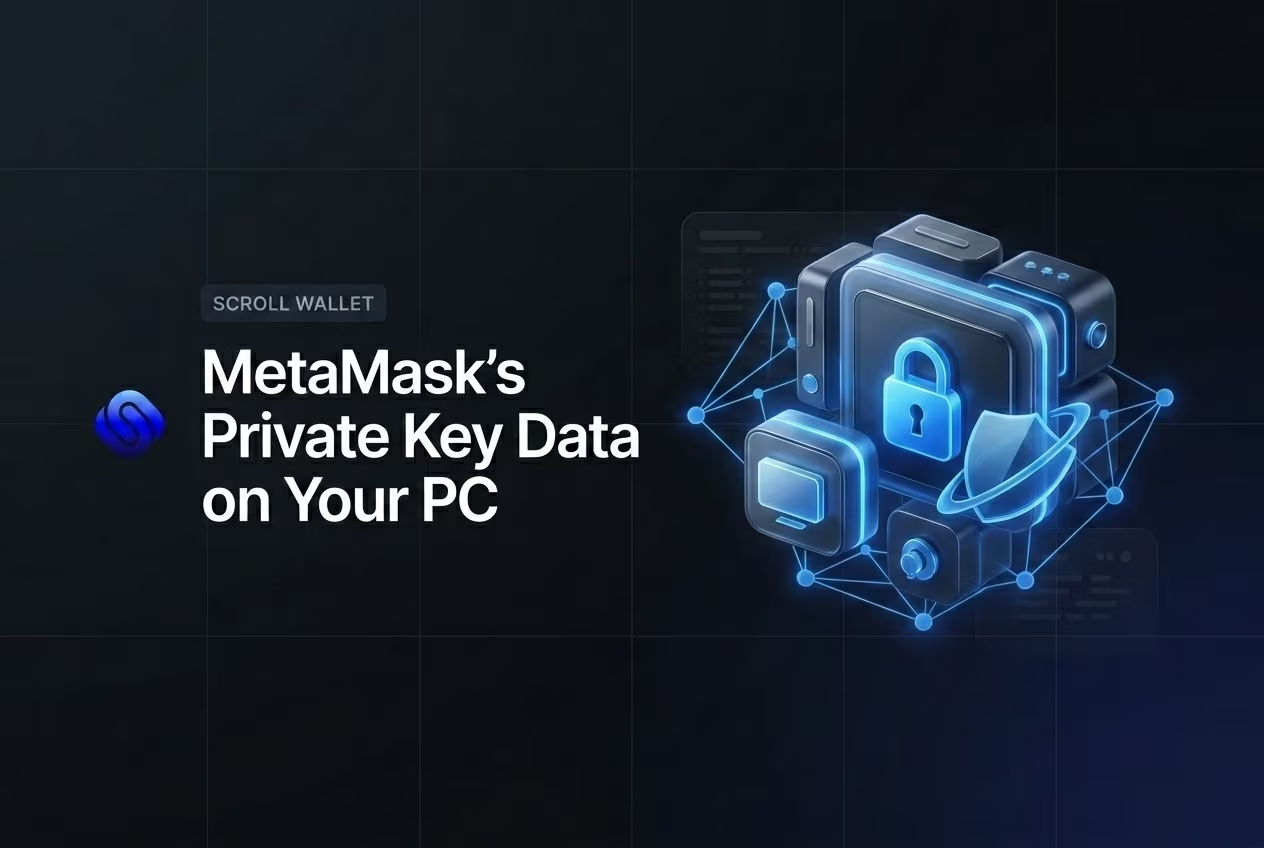
Where does MetaMask store private key files? Your wallet data resides locally in an encrypted LevelDB database within your browser’s extension folder, never on external servers. This architecture ensures self-custody but leaves your assets vulnerable to infostealing malware that targets specific Chromium paths like AppData to extract and crack your local vault files.
- Private Key vs Secret Recovery Phrase: What Is Stored
- Does MetaMask Store Keys Online or Only on Your Device?
- How the Encrypted Vault Is Protected
- What Happens If Your Computer or Phone Is Hacked
- Expert Take on Browser-Based Key Storage
- Why Many Users Are Moving Beyond Browser-Tied Vault Files
- Conclusion
MetaMask Storage Locations by Environment
Understanding where your wallet stores sensitive data is a critical step in maintaining self-custody security. MetaMask stores your encrypted vault—which contains your private keys and seed phrase—locally within your browser’s profile directory. If you are migrating data or performing a manual backup, you need to locate the specific folder associated with the extension ID nkbihfbeogaeaoehlefnkodbefgpgknn.
| Environment / OS | Primary Storage Path | Data Content & Format |
|---|---|---|
| Windows (Chrome) | %LocalAppData%\Google\Chrome\User Data\Default\Local Extension Settings\nkbihfbeogaeaoehlefnkodbefgpgknn\ | JSON files containing the «vault» field with encrypted seed phrase data. |
| macOS (Chrome) | ~/Library/Application Support/Google/Chrome/Default/Local Extension Settings/nkbihfbeogaeaoehlefnkodbefgpgknn/ | Encrypted LevelDB or JSON files; searchable via command line for vault strings. |
| Linux (Chrome) | ~/.config/google-chrome/Default/Local Extension Settings/ | Standard Chromium extension storage path for local vault data. |
| Legacy / Older Versions | …/Local Storage/chrome-extension_nkbihfbeogaeaoehlefnkodbefgpgknn_0.localstorage | SQLite-based local storage files used in older browser architectures. |
| Modern Snaps (Linux) | snap_manageState directory | Isolated disk storage supporting up to 100MB of encrypted state data. |
Private Key vs Secret Recovery Phrase: What Is Stored
In any self-custody wallet, including Scroll Wallet, two cryptographic elements control your funds — the private key and the Secret Recovery Phrase — and mixing them up is how people lose everything, permanently. These are not two names for the same thing. They live at different levels of your wallet’s architecture, carry different scopes of access, and demand completely different handling. The confusion between them is not a minor technicality. It is a financial liability.
A private key is a 64-character hexadecimal string. It controls exactly one account. One. Every account you create in Scroll Wallet gets its own unique private key, and if someone gets hold of yours, they own that account — they can sign transactions, drain every asset, and interact with any contract as if they were you. In the private key vs seed phrase debate, the private key is the narrow, account-level credential. Useful when you need to migrate a single account to another wallet. Useless — and dangerous — if you treat it as a full backup.
The secret recovery phrase — seed phrase, mnemonic, call it what you want — operates on an entirely different level. It is a 12- or 24-word sequence generated exactly once, at the moment you create your wallet. From that single phrase, your wallet derives every private key for every account you will ever create, using a deterministic algorithm defined by the BIP-39 and BIP-44 standards. That makes it the master credential. Whoever holds it controls all accounts, all assets, and every future account that wallet will ever generate. For a deeper look at how this derivation actually works and where it breaks down under attack, read our guide on seed phrase security. Scroll Wallet stores neither your private keys nor your recovery phrase on any server — they exist only in your local environment, encrypted by your password.
So here is what you actually do with this information. Back up your secret recovery phrase offline — physical paper, physical location, under your control — before you touch anything else in the wallet. Never type it into a website, an app, or a form. Not even one that looks exactly like Scroll Wallet support. Especially that one. Export individual private keys only when you have a specific, verified reason to do so. In 2026, phishing attacks targeting both credentials have gotten frighteningly good at mimicking legitimate wallet interfaces. Scroll Wallet’s architecture minimizes your exposure by design. But the final layer of defense is always your own behavior — and it starts the moment you understand exactly what each credential can unlock.
Does MetaMask Store Keys Online or Only on Your Device?
MetaMask never touches your keys on a server — they’re encrypted, locked to your device, and completely invisible to any centralized infrastructure. That’s the whole point of a non-custodial wallet, and MetaMask delivers on it without compromise. The MetaMask team can’t access your funds. Can’t reset your wallet. Can’t recover a single satoshi if you lose your 12-word Secret Recovery Phrase. That phrase gets generated on your device at the moment of creation — and it lives only where you put it. Nowhere else.
Here’s the mechanism, and it’s worth understanding precisely. Your private keys are encrypted using your password and stored in your browser’s local storage or your mobile device’s secure enclave. They never travel to MetaMask’s servers — because MetaMask has no backend waiting to receive them. As Spaace.io confirms, MetaMask decrypts keys only in memory, only at the exact moment of access. The unencrypted key flickers briefly in RAM during a transaction, then it’s gone. Session ends. Key vanishes. No server storage. No recovery path. No exceptions. That’s what genuinely non-custodial looks like at the architecture level.
This model has a sharp edge, though. Local storage means local responsibility — full stop. If your device is hit by malware, a keylogger, or a poisoned browser extension, an attacker can extract your encrypted keystore or intercept your password before it ever does its job. MetaMask’s design shields you from platform-level catastrophes — exchange hacks, company collapses, server breaches. It does not shield you from your own endpoint. In 2026, with phishing campaigns growing surgical and wallet-draining scripts buried inside fake dApps, the real security perimeter isn’t MetaMask’s code. It’s your device, your browser, and the habits you bring to both. Understanding this is non-negotiable before you use any private key wallet.
At Scroll Wallet, we build on that same non-custodial foundation — your keys stay with you, our infrastructure never gets near them. What we layer on top is UX clarity and real-time risk signaling: you see exactly what you’re signing, exactly what access you’re granting, with no ambiguity. Knowing that MetaMask stores keys locally is the starting point. Treating your device, your SRP backup, and your browser environment as the actual vault — that’s the practice that keeps your assets safe or hands them to someone else.
How the Encrypted Vault Is Protected
The encrypted vault in Scroll Wallet is locked behind a symmetric encryption layer derived directly from your password — no password, no access, full stop. The moment you create or import a wallet, Scroll Wallet encrypts your key material locally on your device before a single byte touches storage. That encryption key isn’t just your password hashed once and called a day — it’s run through a hardened key derivation function, grinding through thousands of computational rounds before producing anything usable. Brute-force attacks don’t just become harder. They become economically absurd.
What the password actually guards is the ciphertext sitting in your local vault — the encrypted form of your private key or seed phrase. Without the right password, that ciphertext is noise. Pure, useless noise. This is the bedrock of private key security in any serious self-custody architecture: your key never leaves the device in plaintext, and the vault file alone is worthless to anyone who doesn’t have the password that opens it. Scroll Wallet doesn’t store your password. Not on our servers. Not in the browser. Nowhere.
But here’s where people get dangerously comfortable. Vault encryption is not a force field. If malware is running on your device at the exact moment you unlock your wallet, an attacker can pull the decrypted key material straight from memory — before it ever gets re-encrypted. Weak or reused passwords make dictionary attacks against the vault file entirely feasible. And none of this protects you from clipboard hijacking, screen capture, or a convincing phishing page that tricks you into typing your seed phrase directly into the hands of an attacker. Vault encryption is one layer. A critical one. But just one.
In practice, your password is the single most controllable variable in your entire local security posture. Make it count. At least 16 characters, unique to this wallet, and never — under any circumstances — stored in your browser’s built-in password manager. The encrypted private key is only as safe as the password wrapping it, and in a self-custody setup, that accountability lands squarely on you. Scroll Wallet builds the architecture. The password discipline? That part’s yours.
Main Risks of MetaMask Local Storage
Understanding the vulnerabilities of browser-based storage is essential for maintaining self-custody in 2026. While convenient, local vaults are susceptible to various attack vectors that can lead to a total loss of assets if you do not maintain a proper private key backup. We have categorized these primary risks to help you evaluate your current security posture.
| Attack Type | Attacker Requirements | Impact on Assets | Recovery Potential |
|---|---|---|---|
| Malware (JS Exploits) | No special access | Total fund loss via key theft | None |
| Device Theft | Physical access | Full asset drain from unencrypted drives | Irrecoverable without external backups |
| Corrupted Profiles | Exploiting sync flaws | Partial data loss and scrambled vaults | Possible via seed phrase |
| Memory Scraping | Active browser session | Immediate theft of plaintext keys | None (keys compromised) |
What Happens If Your Computer or Phone Is Hacked
The moment your device is hacked, every private key, seed phrase, and wallet backup stored on it is already gone — you just don’t know it yet. Grasping what actually happens when a device is compromised isn’t academic paranoia in 2026; it’s the bare minimum for anyone holding self-custody crypto. Attackers don’t need your password. They route around it entirely.
The attack surface is uglier than most people assume. Malware stealing wallet keys doesn’t pick one method — it runs several simultaneously. File theft sweeps your downloads and documents folders for keystore JSON exports, wallet backups, and that seed phrase screenshot you took «just this once.» Memory scraping pulls private keys directly from RAM while your wallet app is open — nothing ever has to touch the disk. Offline password crackers hammer any encrypted vault file they find using GPU-accelerated brute force, testing billions of combinations per second. Keyloggers record every keystroke, including the exact moment you type your seed phrase to restore a wallet. All of this runs silently. Days. Sometimes weeks. You won’t see a thing. As MetaMask’s own security reporting makes clear, malware and browser exploit attacks targeting wallet extensions have become a primary threat vector — with attackers specifically timing their strike for the moment you unlock your wallet in a browser tab.
Local compromise is uniquely catastrophic because it cuts straight through every on-chain defense you’ve built. Hardware wallet PINs, multi-sig setups, strong passwords — all of it assumes the device initiating the transaction is clean. The second it isn’t, an attacker can silently rewrite the destination address before you sign, intercept clipboard data the moment you paste a wallet address, or wait for you to unlock your browser crypto wallet and pull the decrypted key straight from memory. One infected machine. Total loss. Even if you followed every standard recommendation to the letter.
Device hygiene isn’t a bonus security layer — it’s the floor everything else is built on. Scroll Wallet operates with this threat model baked in from the start: no unencrypted keys sitting in browser storage, and a deliberately narrow window during which sensitive material lives in memory at all. But here’s the hard truth — no wallet architecture on earth fully protects you when the operating system beneath it is owned by an adversary. Keep your devices clean. Never run wallet operations on shared or public machines. Treat any strange system behavior as a compromise signal until proven otherwise. That’s not overcaution. That’s the baseline that makes every other security decision actually matter.
Expert Take on Browser-Based Key Storage
Browser wallets are sharp tools for quick transactions — they are not safes, and treating them like safes will cost you. The moment you understand how these extensions actually work, the trade-off becomes impossible to ignore: your private keys live in an environment that never goes offline, shares runtime space with every other extension you’ve installed, and sits one poisoned script away from total compromise. This isn’t a bug in any particular product. It’s the architecture. And if you’re managing real money, you need to reckon with that directly.
The expert consensus heading into 2026 isn’t subtle. Browser extensions run inside a shared runtime where dozens of other extensions, injected scripts, and third-party site code execute simultaneously — all in the same sandbox. MetaMask’s own security reporting confirms that browser extension exposure and targeted malware remain among the most active attack vectors in crypto, with phishing campaigns precision-engineered to extract seed phrases or intercept signing events mid-flow. Self-custody security lives or dies on the integrity of the environment where your keys actually reside. A browser tab is one of the weakest perimeters you can draw around a private key. Full stop.
The risk scales directly with the value at stake. Using a browser wallet to poke at a dApp, push a small transaction, or test a new protocol? Completely reasonable. Parking 5, 10, or 50 ETH in that same wallet because switching is inconvenient? That’s a different decision — one that most security-serious practitioners would not make. The structural logic behind this is detailed in private key security and storage environment exposure, and the principle reduces to something brutally simple: the more value you hold, the more physically and logically isolated your key storage needs to be from any live internet session.
At Scroll Wallet, we build with this friction in mind rather than papering over it. We don’t dress up browser-based key storage as a long-term solution for significant holdings, and we don’t soften the real limits of hot wallet architecture. What we offer instead is a clean separation between daily-use access and serious custody decisions — letting you move through the Scroll ecosystem efficiently while keeping your actual risk boundary visible and deliberate. Self-custody security isn’t about refusing to touch browser wallets. It’s about using them for exactly what they were designed for, and moving anything that matters into environments with real isolation guarantees.
To reduce exposure to browser-based vulnerabilities and gain clearer control over your digital assets, we recommend using a dedicated infrastructure for your transactions.
Why Many Users Are Moving Beyond Browser-Tied Vault Files
Browser-tied wallet storage is a structural liability — and the attackers already know it. When your keys live inside a browser extension profile, they share an attack surface with every tab you open, every extension you install, and every script quietly executing in the background. That’s not paranoia. In 2025 and running into 2026, wallet drainer scripts and rogue extensions became the dominant vector for self-custody losses — hundreds of millions gone from users who thought their browser setup was solid. The browser architecture itself is the problem. Not you.
Here’s the question most people can’t answer: where exactly is your private key right now? What format? Who — or what — can touch it while your browser is running? With extension-based wallets, the answer is genuinely uncomfortable. Keys sit in memory during active sessions and get written to an encrypted file buried inside your browser profile directory. That file can be copied, silently exfiltrated, or exposed through browser sync without a single warning on your screen. A private key wallet architecture that fully separates key storage from the browser runtime cuts through this ambiguity — giving you a verifiable, auditable answer to where your keys actually live. That’s not a feature. That’s a foundation.
Scroll Wallet was built around exactly this separation. The storage layer runs independently of browser profile state — no ties to a specific browser installation, no dependency on a sync account, no reliance on a device profile that can vanish overnight. The practical consequence is blunt: if your browser gets compromised, corrupted by a bad update, or simply wiped, your wallet data survives through a recovery path that owes nothing to that browser’s internal state. This is what a genuinely safer wallet storage option looks like — not a tagline, but a structural decision that removes an entire attack category from the board.
And the stakes keep rising. As L2 fragmentation accelerates and users run positions across Scroll, Ethereum mainnet, and multiple bridges simultaneously, a single wallet compromise doesn’t cost you one account anymore. It can cost you five networks at once. The blast radius of one bad browser session has never been larger. Decoupling key management from browser state shrinks that radius dramatically. We built Scroll Wallet to match the actual complexity of the 2026 on-chain environment — because infrastructure that can’t keep up with that complexity isn’t infrastructure. It’s a liability waiting to detonate.
How to Reduce Risk If You Still Use MetaMask
If you continue to use browser-based extensions like MetaMask in 2026, you must acknowledge the inherent vulnerabilities of «hot» environments. To mitigate these risks, we recommend following a strict security protocol to protect your assets from evolving phishing and exploit techniques.
- Isolate your primary devices. Use a dedicated, clean device for all blockchain interactions. Avoid installing unnecessary third-party browser extensions or software on the machine where your wallet is active to minimize the attack surface for malware.
- Implement offline backups. Never store your recovery information in digital formats, such as cloud storage or screenshots. Proper seed phrase security requires physical, offline storage—ideally on metal plates—to prevent remote theft during a system compromise.
- Limit hot wallet exposure. Treat browser extensions as «spending accounts» rather than «savings accounts.» Keep only small balances required for immediate transactions in MetaMask, and move the majority of your capital to more secure infrastructure like Scroll Wallet or hardware-integrated solutions.
- Audit extension permissions regularly. Revoke unnecessary token approvals and site connections immediately after use. In a multi-chain environment, dormant permissions are a primary vector for wallet drains if a decentralized application (dApp) is later compromised.
- Verify every transaction signature. Before clicking «confirm,» manually verify the contract address and the specific functions you are authorizing. Automated risk reduction tools can help, but manual vigilance remains the final line of defense against sophisticated 2026 phishing attempts.
Conclusion
Where MetaMask stores your private keys isn’t a technical footnote — it’s the decision that determines whether you lose everything or not. MetaMask encrypts your Secret Recovery Phrase and all derived private keys locally, tucking them inside your browser extension’s storage or your mobile device’s sandboxed environment. Nothing gets shipped to MetaMask’s servers. Ever. That architecture hands you full custody — and simultaneously drops the entire security burden onto your machine and your habits.
The trade-off has a price tag. As Amberdata Blog documented, compromised private keys and hot wallet attacks have drained billions in recent years. Not millions. Billions. That’s the direct cost of encrypted secrets living on internet-connected devices. Local storage is only as strong as the environment wrapped around it — and that environment includes malware, browser exploits, phishing pages engineered to make you type your seed phrase voluntarily, and unencrypted backups sitting in cloud folders. MetaMask’s encryption is genuinely solid. But it leans entirely on your password and the cleanliness of your device.
Here’s what private key storage looks like in practice: your keys rest behind AES encryption tied to your wallet password. The moment your device is compromised or your password is «password123,» that protection doesn’t bend — it shatters. This is exactly why Scroll Wallet’s architecture treats local key exposure as a primary threat model, not some fringe scenario. Layered security means combining local encryption with hardware wallet compatibility, active phishing detection, and explicit warnings before any signing action. The industry data isn’t ambiguous on this. Local key exposure is the leading cause of user fund loss, full stop.
The verdict is blunt: MetaMask’s local storage model kills server-side risk and preserves your custody — but it concentrates all remaining risk at the device level. Your security posture as a software wallet user comes down to three things. Password strength. Device hygiene. Your ability to smell a social engineering attack before it lands. For anyone managing real value on-chain, pairing a software wallet with a hardware device isn’t a premium upgrade. It’s the minimum viable setup. Scroll Wallet is built around that reality — so acting on it doesn’t require friction, just intention.
Import your old wallet
Consolidate your assets into Scroll Wallet for enhanced private key control and a more secure, transparent storage environment in the 2026 on-chain landscape.
Часто задаваемые вопросы
Where exactly does MetaMask store private keys on a Windows PC?
MetaMask stores your encrypted vault inside the browser’s Local Extension Settings folder. On Windows with Chrome, the precise path is %LocalAppData%\Google\Chrome\User Data\Default\Local Extension Settings\nkbihfbeogaeaoehlefnkodbefgpgknn\. The data is encrypted JSON, not plain text, and never leaves your device to MetaMask’s servers.
What is the difference between a private key and a seed phrase in a crypto wallet?
A private key is a 64-character hexadecimal string that controls exactly one account, while a seed phrase is a 12- or 24-word master credential that deterministically derives every private key for every account in your wallet. Losing your seed phrase means losing access to all accounts simultaneously, whereas a compromised private key only exposes a single account.
Can MetaMask recover my funds or reset my wallet if I lose my Secret Recovery Phrase?
No. MetaMask operates as a fully non-custodial wallet, meaning your Secret Recovery Phrase is generated on your device and stored nowhere on MetaMask’s servers. If you lose it, neither MetaMask nor any third party can recover your funds — the loss is permanent and irreversible.
What are the biggest security risks of storing crypto keys in a browser extension?
The primary risks include infostealing malware that copies the encrypted LevelDB vault folder for offline cracking, memory scraping attacks that pull decrypted keys from RAM during an active session, and supply chain attacks via malicious extension updates or browser zero-day exploits. Because the MetaMask extension ID and file path are completely standardized, attackers can target them automatically without any prior knowledge of the victim.
How does vault encryption protect my MetaMask wallet, and what are its limits?
MetaMask encrypts your key material using AES encryption derived from your password through a hardened key derivation function, making brute-force attacks computationally expensive. However, vault encryption does not protect against malware that scrapes decrypted keys from memory while the wallet is unlocked, weak or reused passwords that make dictionary attacks feasible, or phishing pages that trick you into voluntarily entering your seed phrase.