- Recovery Method: BIP39 Standard 12-word seed phrase
- Data Source: Real-time on-chain blockchain synchronization
- Security Model: Client-side local memory encryption
- Cost: Zero software fees for native restoration
- Asset Support: Multi-chain (BTC, ETH, LTC, and more)
A jaxx wallet restore is the process of regenerating your digital asset environment on a new device using your unique 12-word backup phrase. By inputting this mnemonic sequence, you trigger a local cryptographic reconstruction that scans the blockchain for your balances. This method ensures you maintain absolute self-custody over your private keys without relying on any centralized servers.
- How Seed Phrase Recovery Rebuilds the Wallet Environment
- Why a Restored Wallet May Show Missing Coins at First
- Expert Take on Safe Seed Phrase Entry
- US Compliance Context for Non-Custodial Wallet Recovery
- How to Verify Addresses, Transaction History, and Coin Balances
- Best Practices to Secure a Restored Wallet on Any Device
- Conclusion
How Seed Phrase Recovery Rebuilds the Wallet Environment
Restore from seed in Jaxx Liberty, and the wallet doesn’t pull your funds from any server — it mathematically reconstructs your entire key structure from a single 12-word phrase. That phrase encodes 128 bits of entropy plus a checksum derived from a SHA-256 hash, giving you a compact yet cryptographically brutal representation of your wallet’s origin. The checksum is what catches typos: one wrong word, and the phrase fails validation before a single key gets generated. Your wallet environment is fully portable, fully reproducible — provided you have the correct phrase.
The recovery process follows a precise chain of standards. As detailed by Bleap Finance, the 12-word phrase converts into a root seed via PBKDF2-HMAC-SHA512 — a key-stretching function that makes brute-force attacks computationally brutal. From that root seed, BIP32 derives a hierarchical deterministic (HD) key tree: a structured hierarchy of private and public keys. BIP44 then organizes that tree by coin type, account, and address index. Every address you ever used for Bitcoin, Ethereum, Litecoin, or any other supported asset gets regenerated in the correct order. No data lives on external servers. The math does all the work.
Once the key tree rebuilds, Jaxx Liberty scans the blockchain for transaction history matching each derived address. Your balances reappear not because they were stored in the app — but because the wallet queries the chain and finds activity tied to your addresses. Balance not showing up? The scan may still be running, or the asset needs to be manually enabled in your asset list. Toggling asset visibility or refreshing wallet data resolves this in most cases. For a deeper look at how BIP39 phrase structure supports this entire process, check our BIP39 wallet backup guide.
This architecture has real consequences for how you manage self-custody. Jaxx Liberty is non-custodial — private keys live locally on your device, and the 12-word phrase is the only credential that can recreate your wallet on a new device or after a reinstall. No account system. No email reset. No centralized recovery path. The phrase is your wallet. Write it down accurately, keep it offline, and never share it with anyone. That single action carries more weight than any other security measure you’ll ever take as a Jaxx Liberty user.
Step-by-Step Jaxx Wallet Restore Process
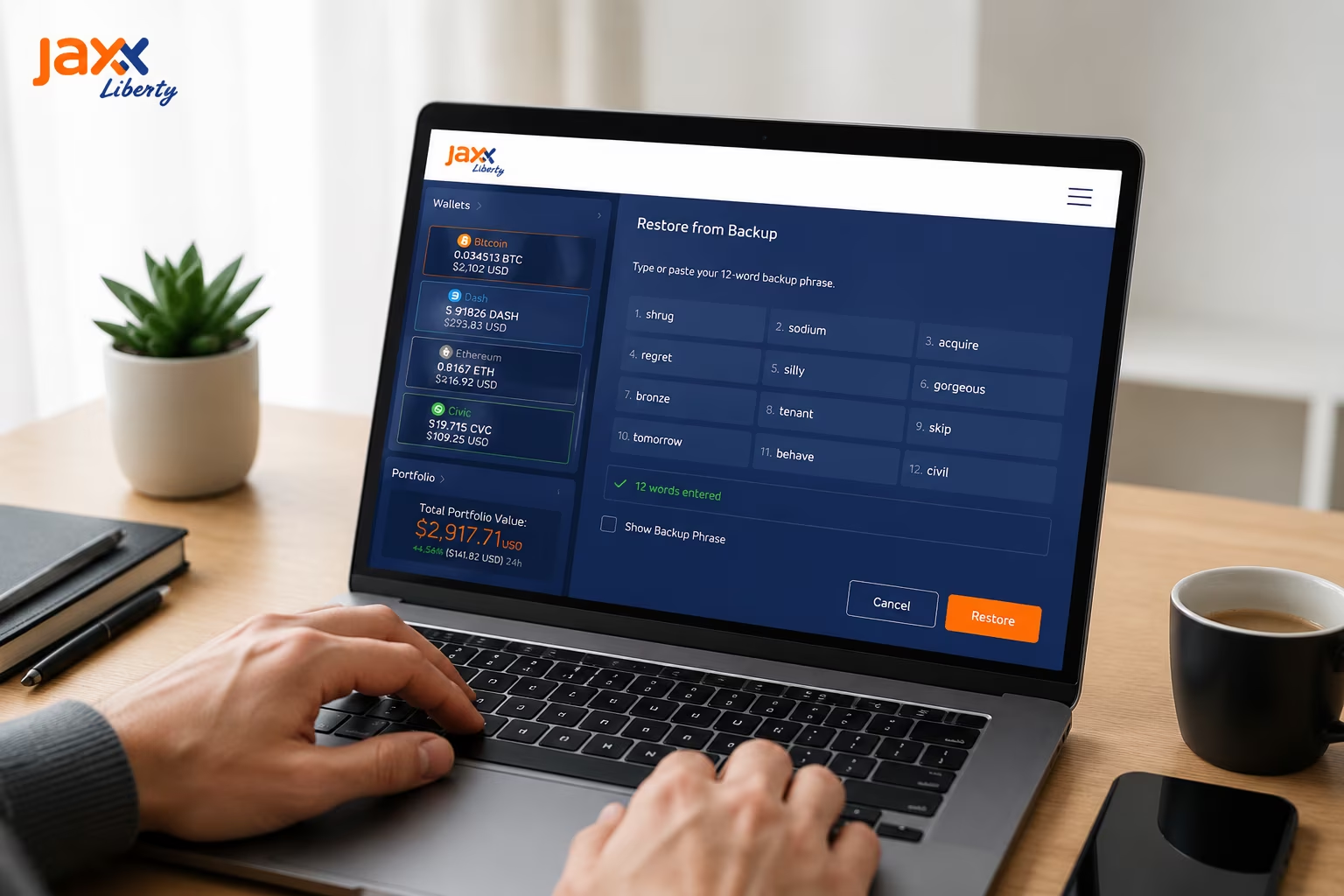
Restoring your Jaxx Liberty Wallet is a straightforward process that ensures you maintain full control over your digital assets across any supported device. Because we operate as a non-custodial service, your recovery depends entirely on the 12-word backup phrase you generated during your initial setup. Follow these steps to restore wallet with seed phrase and regain access to your portfolio.
- Download and launch the Jaxx Liberty Wallet application on your chosen mobile or desktop platform, ensuring you are using the official version to avoid security risks.
- Select the restore option on the initialization screen by clicking on «Restore Wallet» rather than creating a new one.
- Accept the Terms of Service after reviewing our commitment to your privacy and the non-custodial nature of the platform.
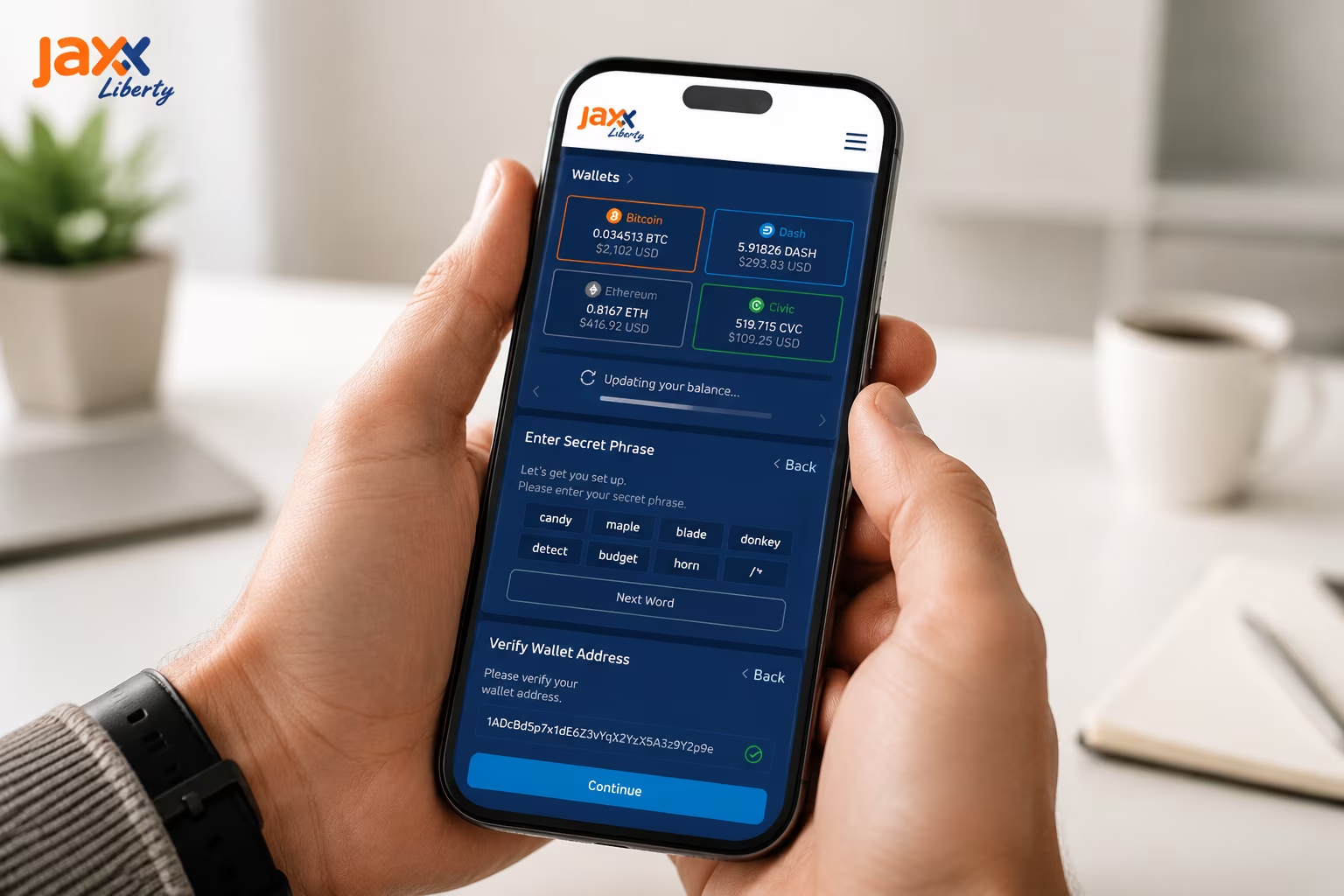
- Enter your 12-word recovery phrase carefully in the correct sequential order, using only lowercase letters and single spaces between words.
- Verify the phrase to allow the wallet to scan the blockchain and locate your existing private keys stored locally on your device.
- Set a strong Security PIN to protect the application from unauthorized physical access on your current device.
- Wait for the initialization as Jaxx Liberty synchronizes with the various blockchains to update your balances and transaction history.
- Check your asset visibility in the «Manage Assets» menu to ensure all your previous cryptocurrencies, such as Bitcoin or Ethereum, are toggled to «On» and appearing in your interface.
- Confirm your receiving addresses by navigating to the «Receive» tab for any asset to verify that the wallet has correctly re-generated your public keys.
Common Restore Problems and What They Usually Mean
Restoring your Jaxx Liberty Wallet is a straightforward process, but technical hurdles can occasionally arise due to data entry errors or network synchronization delays. Understanding these common scenarios helps you maintain full control over your digital assets and ensures your portfolio displays correctly after a recovery.
| Issue Encountered | Likely Cause | Recommended Solution |
|---|---|---|
| Invalid Mnemonic Error | Typo or non-BIP39 word | Verify each word against the standard BIP39 wordlist and check for correct word order. |
| Zero Balance After Restore | Sync delay or hidden asset | Manually enable the specific asset in the «Manage Assets» menu and allow time for the blockchain to sync. |
| Missing Specific Tokens | Derivation path mismatch | Check if the asset requires a custom derivation path or manual token import within the interface. |
| Loading Screen Hangs | Network connectivity | Refresh the wallet data or restart the application to re-establish a connection to the nodes. |
| Corrupted Wallet File | Local storage error | Perform a clean reinstall and use your 12-word backup phrase to restore access. |
Why a Restored Wallet May Show Missing Coins at First
After restoring your wallet with a seed phrase, coins looking absent from your balance is perfectly normal — your funds are still on-chain, untouched, waiting for the wallet to find them through the right derivation path and asset settings. Jaxx Liberty runs on a hierarchical deterministic (HD) structure, meaning every single asset address gets generated from your seed phrase through a specific cryptographic path. Wrong path? Wrong address set. Coin not enabled? Invisible balance. Neither scenario means your crypto is gone — it means the wallet hasn’t looked in the right place yet.
Derivation paths are where most people quietly lose their minds after a restore. Each cryptocurrency follows its own standard — Bitcoin typically runs BIP44 with a defined coin type index, Ethereum has its own lane entirely. If you previously operated through a different wallet application that applied non-standard derivation, Jaxx Liberty will generate a completely different set of addresses from the exact same seed phrase. Same words, different addresses. That’s not a bug — that’s math. This is precisely why understanding BIP39 seed phrase security goes beyond just keeping your phrase safe — it directly determines whether your assets surface correctly across different wallet environments.
Asset visibility is its own separate beast. Jaxx Liberty supports a wide range of coins, but after a restore, not everything gets switched on automatically. You have to go into your wallet settings and manually enable every coin you previously held. Every single one. Skip this step and you’ll stare at zero balances that have nothing to do with lost funds — the wallet simply isn’t scanning for those assets yet. Toggle a coin on, and the wallet immediately begins querying the blockchain for transactions tied to your derived addresses, then populates the balance from what it finds.
Then there’s blockchain sync — the part nobody wants to wait for, but everyone has to. After a restore, Jaxx Liberty reaches out to the network to pull your full transaction history. Heavy network load, multiple assets, long transaction histories — all of it adds time. See a zero balance right after enabling a coin? Don’t panic. Wait. Let the sync finish. In the overwhelming majority of cases, once derivation paths line up, the asset visibility check is done, and the blockchain data finishes loading — your balances show up exactly where they should be.
Once you have mastered the basics of wallet recovery and secured your seed phrase, you can easily manage your multi-coin portfolio and access supported assets through our interface.
Costs After Recovery: Network Fees and Professional Help
Restoring your Jaxx Liberty Wallet using your 12-word backup phrase is a built-in feature that costs nothing. However, once your wallet is restored, moving your assets or seeking professional help if you lose your phrase involves specific costs. Understanding these expenses helps you manage your digital assets more effectively in 2026.
| Recovery Method | Estimated Cost | Key Details |
|---|---|---|
| Standard Seed Phrase Restore | $0.00 | Free within Jaxx Liberty; no service fees applied. |
| Network Fees (Bitcoin) | $1 – $10 | Paid to miners to confirm transactions on the blockchain. |
| Network Fees (Ethereum) | $5 – $50 | Varies based on gas prices and network congestion. |
| Professional Recovery Service | 20% Contingency | Only applicable if the seed phrase is lost or corrupted. |
| Consultation/Flat Fees | $500 – $5,000 | Alternative pricing for complex technical assistance. |
Expert Take on Safe Seed Phrase Entry
Your seed phrase is the only key that exists — enter it wrong, and no one on earth can get your wallet back. When you restore access to Jaxx Liberty, those 12 words are the entire authentication system. No email. No account recovery. No support ticket that saves you. Every word must match your original backup exactly, in the exact sequence, with zero substitutions. One wrong word and the restore fails. Full stop.
Go offline before you touch the input field. Seriously — disconnect Wi-Fi, kill mobile data, and close every background app before opening Jaxx Liberty. Screen-recording software, remote access tools, and open browser sessions are all live attack surfaces during phrase entry. On desktop, use a dedicated machine or a clean session, never a shared or public computer. If you want the full pre-entry checklist spelled out step by step, the guide on how to secure crypto seed phrase handling covers every layer of preparation in practical detail.
What happens after the restore matters just as much as the entry itself. Once Jaxx Liberty loads your assets, your private keys live on that device — locally, not on any server. The wallet’s security is now exactly as strong as your device’s security. Update your OS and the Jaxx Liberty app regularly. Enable full-disk encryption on desktop. Use a strong passcode on mobile. And please — stop storing your seed phrase in cloud notes, email drafts, or chat apps. Those are the highest-traffic attack vectors for phrase exposure right now. A written backup, kept physically secure, still beats every digital alternative.
Clipboard interception is the risk most people never think about until it’s too late. Type each word directly into the Jaxx Liberty input field. Do not paste. Pasting from clipboard hands wallet-targeting malware a clean, effortless attack path — one you can eliminate entirely just by typing. After the restore completes, check your addresses and asset balances before doing anything else. Something looks off? Missing assets, unfamiliar addresses? Stop. Review your entry. The phrase itself may be correct, but the environment around it has to be clean too — and that environment is entirely yours to control.
US Compliance Context for Non-Custodial Wallet Recovery
In the US, non-custodial wallets like Jaxx Liberty sit in a clearly defined regulatory lane: you hold your own private keys, no one else touches your funds, and the entire wallet restore process stays under your control — fully outside broker registration requirements. The CFTC and FinCEN both draw this line at the same place: user-controlled key ownership. Recover access via your seed phrase, and no intermediary enters the picture, no custodial relationship forms, and no federal compliance obligation fires on the developer side. Clean. Simple. By design.
The regulatory direction has been reinforcing this model with real force. As KuCoin News reported, the CFTC issued a no-action letter to Phantom in March 2025 — confirming that self-custody software developers who never take custody of user assets can sidestep registration requirements under specific conditions. CFTC Chair Michael Selig then announced plans to lock these protections into formal rulemaking at Consensus Miami. That trajectory validates exactly what Jaxx Liberty is built on: private keys stored locally on your device, seed-phrase-based recovery, and developers who never touch your funds. Not a loophole. An architectural principle.
FinCEN’s withdrawal of its 2020 unhosted wallet proposal in 2024 pushed this position even further into solid ground. Right now, there are zero federal rules mandating KYC or AML procedures for non-custodial wallet interfaces or for seed-phrase-based recovery. Zero. When you restore your Jaxx Liberty wallet — entering your 12-word recovery phrase to bring back your full environment across desktop or mobile — you’re exercising a right regulators have explicitly chosen not to restrict. The compliance framework places full responsibility for key management on you, the user. Which is precisely how Jaxx Liberty was built to operate.
This context has real, practical weight. Because no third-party recovery support exists or is expected under the current compliance structure, your seed phrase is the single authoritative credential for the entire restore process. No account system. No email reset. No centralized fallback — by design and by regulatory logic. Jaxx Liberty covers multiple assets including Bitcoin, Ethereum, and Litecoin across platforms, and every single one recovers through the same seed phrase you received at first setup. Protecting that phrase isn’t just good security hygiene. It’s the whole foundation of self-custody — as a product principle and as a compliance reality.
How to Verify Addresses, Transaction History, and Coin Balances
The moment your seed phrase goes in and Jaxx Liberty loads up — that’s not the finish line. Verify your wallet addresses, confirm transaction history pulled through correctly, and make sure every coin balance actually reflects what you own. A wallet can look perfectly restored while quietly serving you stale or incomplete data. That gap between «looks fine» and «is fine» is exactly where people lose funds.
Start with addresses. Open each asset in your portfolio, hit the receive screen, and look hard at what’s there. That address must match what you used before — no exceptions. Jaxx Liberty derives addresses deterministically from your seed phrase, meaning the same 12 words will always produce the same addresses for every supported coin. Always. If something looks off, stop. Don’t send a single satoshi until you’ve cross-checked against your own records or run the address through a public block explorer. For Bitcoin and Ethereum especially, paste the address straight into a block explorer and watch the full transaction history come up. That’s your ground truth.
History not loading? Balances showing zero? Don’t panic yet. After you restore, Jaxx Liberty has to sync with each blockchain network — and depending on your connection and how many assets you’re running, that can take a few minutes. If things still look empty, go to Settings → Tools → Resync Wallet for the affected asset. That forces a fresh query to the blockchain and rebuilds the local record from scratch. Also check your portfolio toggle — coins switched off won’t show balances or history until you turn them back on. Running Bitcoin, Ethereum, Litecoin, and a handful of others at once? Check each one individually. There’s no shortcut here that’s actually worth taking.
Balance accuracy lives and dies by full blockchain sync. Don’t call the restoration complete until every expected asset shows the right number. If discrepancies stick around after a resync, go back to the seed phrase itself — one wrong word generates an entirely different address set with zero history attached to it. One word. Jaxx Liberty keeps private keys local, on your device, which means there’s no server to bail you out, no support ticket that unlocks your funds. The seed phrase is the whole mechanism. Its accuracy is entirely on you. For the full step-by-step walkthrough of the restoration process, check the guide on how to restore wallet with seed phrase in Jaxx Liberty.
Best Practices to Secure a Restored Wallet on Any Device
Restoring your wallet gets you back in — but what you do in the next five minutes determines whether that access stays yours. The second your seed phrase hits the restore field and your assets reappear, you’ve entered the most vulnerable window in your entire crypto security lifecycle. Jaxx Liberty keeps private keys stored locally on your device. No cloud. No middleman. That means every layer of protection between your funds and a bad actor is something you build yourself.
Start with the clipboard — because almost nobody does. The moment you copy a seed phrase or wallet address, that string of characters lives in your device’s clipboard, readable by every app that has clipboard permissions. That includes apps you’ve forgotten you installed. Never run your 12-word phrase through a copy-paste workflow. Type it directly into the Jaxx Liberty restore field, character by character, old-school. Then clear the clipboard immediately. On mobile, a full app or device restart flushes that memory for good. For a deeper look at how to secure crypto seed phrase storage from the ground up, our dedicated backup guide covers the full picture.
Once restoration wraps, lock down the environment fast. Enable full-disk encryption on desktop. Set a strong PIN or biometric screen lock on mobile. Then audit your app permissions — specifically which apps can touch your screen, clipboard, or accessibility services. These three vectors are where wallet-targeting malware does its best work in 2026. Never restore Jaxx Liberty on a shared device. Never on a rooted or jailbroken one. If you run the wallet across multiple platforms, treat each device as its own isolated security perimeter. One compromised device doesn’t have to cascade into all of them.
Long-term security is a habit, not a one-time setup. Do not put your seed phrase in cloud notes. Not in email drafts. Not in screenshots. Not in anything that syncs automatically to a server you don’t control. Write it on paper. Store that paper somewhere physically secure — a safe, a locked drawer, somewhere deliberate. Jaxx Liberty runs no centralized account system and offers no password reset path. If your seed phrase gets lost or exposed, that’s the end of the road. No support ticket fixes it. No recovery option exists. That phrase is the single most sensitive credential attached to your name — treat it exactly like that, starting from the first moment of restoration.
Conclusion
Restoring your Jaxx Liberty wallet comes down to four non-negotiables: the exact seed phrase, patience through the sync, correct asset visibility settings, and airtight security habits from that point forward. When you feed your 12-word recovery phrase back into the app, you are not moving funds anywhere — you are reconstructing access to keys that have always lived on the blockchain. The assets were never inside the app to begin with. Which means one misplaced word, one wrong sequence, and the whole thing falls apart.
After the restore completes, your balance might show zero. Don’t spiral. The wallet needs time to scan the blockchain and pull your full transaction history before numbers populate correctly — and depending on network load and how many assets you hold, that can take a few minutes or considerably longer. Normal behavior. Once the sync catches up, head straight to your asset list and confirm each coin or token is actually enabled. Some require manual activation in the asset management section before they’ll show up at all. They’re not gone. They’re just waiting for you to turn them on.
Here’s where most people get careless: the decisions you make after the restore matter just as much as the restore itself. Your seed phrase is now the single most sensitive object in your possession. Write it down. Store it somewhere physical, somewhere only you can reach. Never photograph it. Never paste it into a chat. Never type it into any website or app that isn’t Jaxx Liberty directly. Phishing operations targeting wallet users have grown sharply more convincing — and no real support channel, ever, will ask you to hand over your recovery phrase.
Jaxx Liberty runs on a non-custodial model. Full stop. No one holds your keys but you. No one manages your account. No one can step in and recover access on your behalf — because that’s precisely the point. Knowing how to restore wallet data cleanly, how to trigger a balance refresh when the numbers look off, and how to lock down your phrase afterward — that’s not just good practice. That’s the whole job of owning a self-custody wallet: independent, secure, and entirely yours.
Import your old wallet
Restore access to your assets on a new device using your 12-word backup phrase. Maintain full control over your private keys with Jaxx Liberty’s non-custodial architecture.
Часто задаваемые вопросы
What do I need to restore my Jaxx Liberty wallet?
You only need your original 12-word backup phrase entered in the exact correct order. No account credentials, email address, or external server access is required — the phrase mathematically reconstructs your entire key structure locally on your device.
Why is my balance showing zero after restoring with the correct seed phrase?
A zero balance after restore is usually caused by an incomplete blockchain sync, a hidden asset that needs to be manually enabled in the Manage Assets menu, or a derivation path mismatch. Wait for the sync to finish, toggle each coin on individually, and use Settings → Tools → Resync Wallet if balances still do not appear.
Is restoring a Jaxx Liberty wallet free?
Yes, the seed phrase restore process itself costs nothing. Network fees only apply when you move or transfer assets after the wallet is restored, ranging from roughly $1–$10 for Bitcoin transactions and $5–$50 for Ethereum depending on gas prices.
How do I fix an ‘Invalid Mnemonic’ error during wallet restore?
Check each word carefully against the standard BIP39 wordlist, confirm the correct sequential order, and remove any hidden spaces or formatting characters. Type the phrase manually rather than pasting from a clipboard, as copy-paste can introduce invisible characters that fail validation.
Does restoring a Jaxx Liberty wallet require KYC or identity verification?
No. Because Jaxx Liberty is a non-custodial wallet where private keys remain entirely under your control, the restore process triggers no KYC or AML requirements under current US FinCEN directives. The user holds sole responsibility for key management and asset tracking.



